Activating Hardware Licenses
Hardware key certificates, which are digitally signed files generated by the vendor that contain a unique Hardware Key ID (Flex ID) as well as a list of activated products.
Although each hardware key certificate can be imported to many host machines, the physical hardware key associated with the hardware key certificate can only be attached to one machine at a time. The physical hardware key is necessary to use the hardware key certificate.
 An additional software feature must be installed for the hardware key to function properly. This can be done during the initial setup or at any time by re-running the product installation executable and selecting Modify. In Select Features, locate Hardware Key and select Entire feature will be installed on the local hard drive. Continue to complete the install.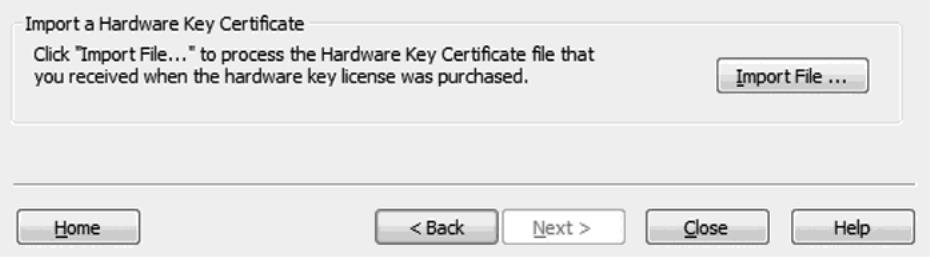
Registering the Hardware Key Certificate File
For the physical hardware key to be recognized by the application's Runtime, the hardware key certificate file must be registered with the License Utility.
To register the hardware key certificate, import it into the License Utility by following the instructions below.
1. Once the hardware key and corresponding hardware key certificate file have been obtained from the vendor, click Import File... under Import a Hardware Key Certificate.
2. Browse to the hardware key certificate file that has been provided and click OK. The file has a unique name, such as "MyHrdKeyCert.lic". The certificate is then processed by the License Utility. If it is successful, the View Page is displayed showing the newly imported licenses.
