Activating Licenses
1. Access MyKepware.
2. Enter a valid customer email and password and click Log In.
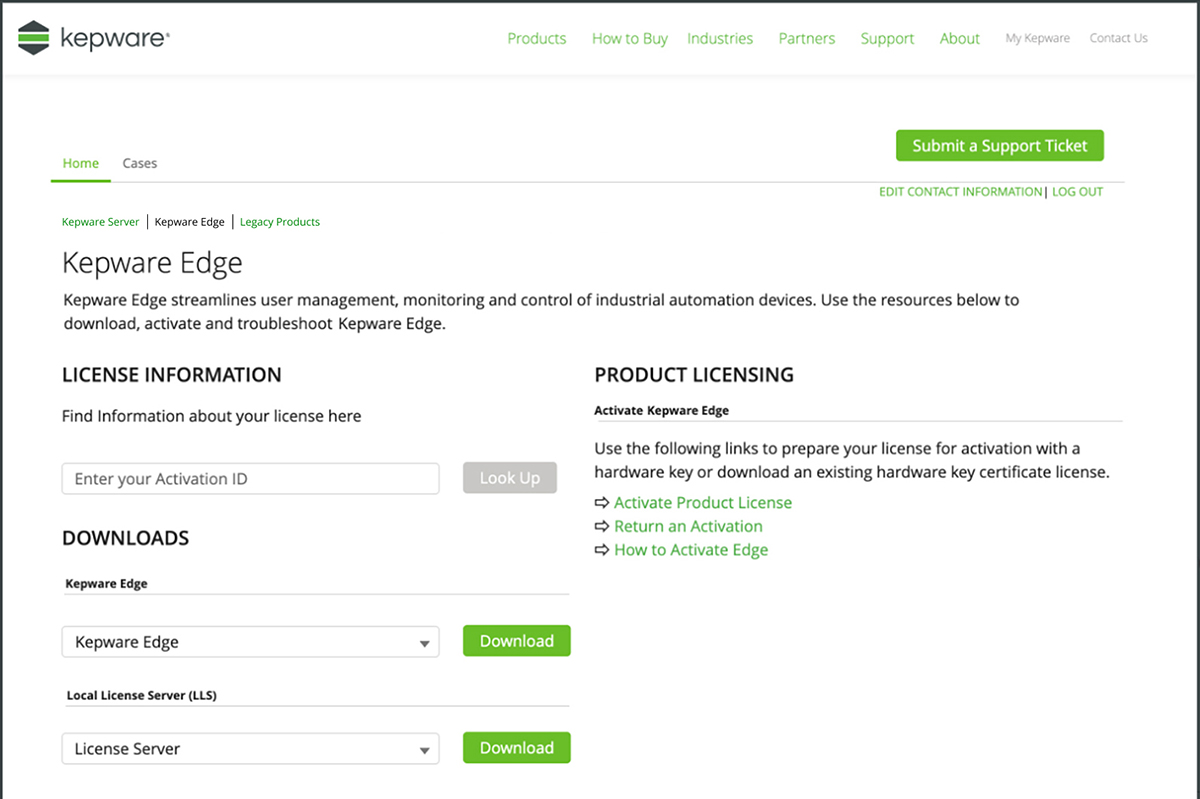
3. Click the Activate Product License link.
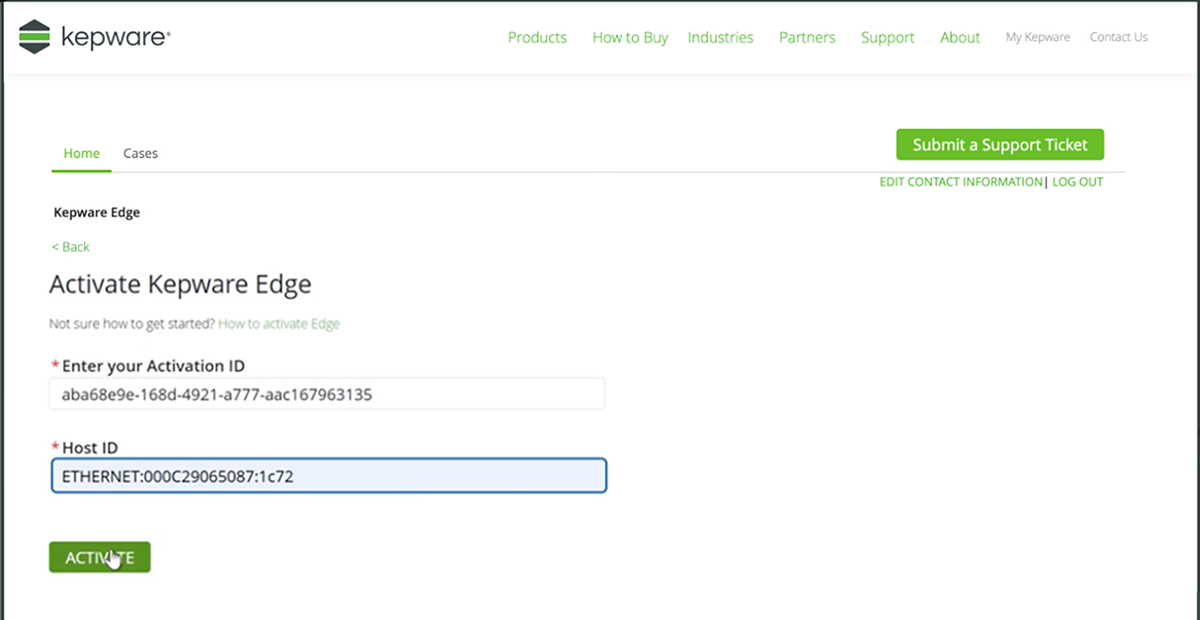
4. Enter the Activation ID from your sale, the confirmation email, or after using the Look Up option.
5. Enter the Host ID.
6. Click the ACTIVATE button.
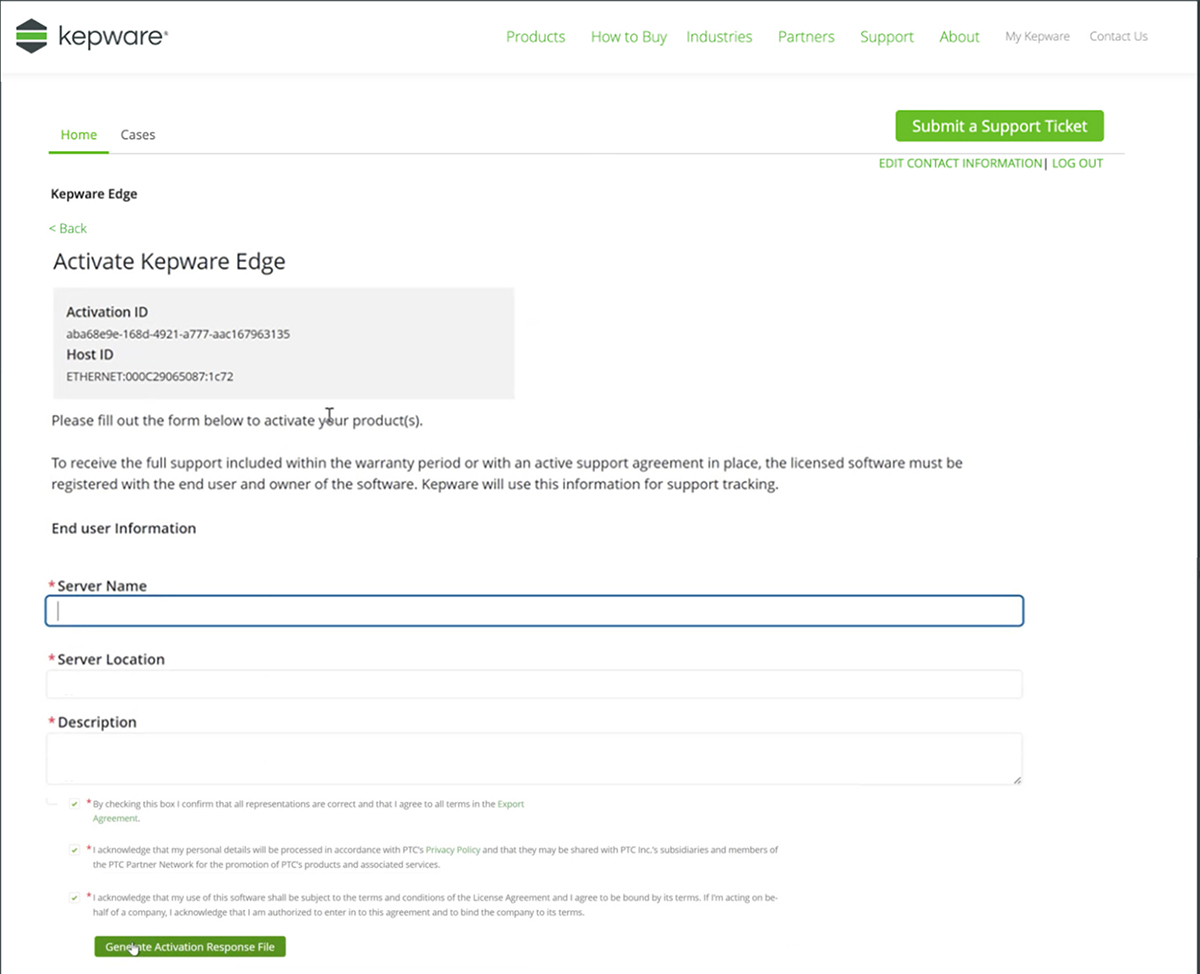
7. Enter the user and server information in the form.
8. Click the Generate Activation Response File button.
9. Save the activation response file.
10. Copy the activation response file onto the license server system.
11. Install the license(s) using the following command:
<installation_directory>/ptcls_cli/ptcls_admin.py --user admin manage-entitlement --install <filename>
12. View the licenses hosted on the license server using the following command:
<installation_directory>/ptcls_cli/ptcls_admin.py --user admin manage-entitlement --show