Installing Sample Applications
This section appendix describes the sample applications provided with Creo TOOLKIT.
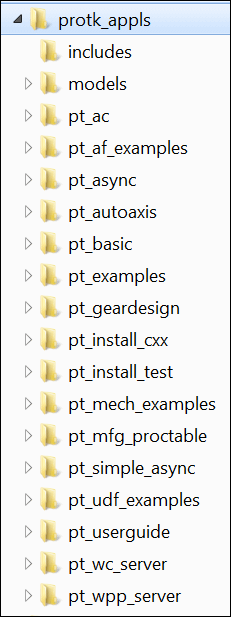
When you install Creo TOOLKIT from the Creo Parametric CD, Creo TOOLKIT is installed under the loadpoint of Creo Parametric, that is, <creo_loadpoint>\<datecode>\Common Files\protoolkit\protk_appls. In Creo Parametric 6.0.0.0 and later, these sample applications are digitally signed. Refer to the Fundamentals section for more information on Installation of Creo TOOLKIT.
The Creo TOOLKIT directory contains all the headers, libraries, example applications, and documentation specific to Creo TOOLKIT. The following diagram illustrates the applications installed under the protk_appls directory after installation.