Visual Field Analysis
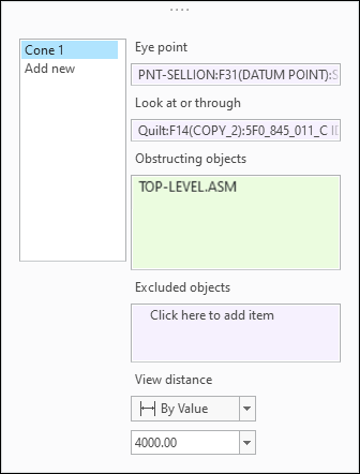
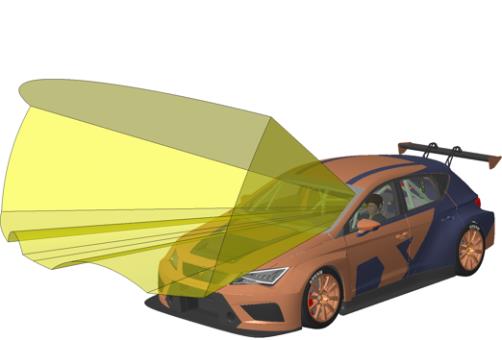
You can now use a Visual Field feature to create a surface cone that represents the resulting visual field in the context of the surrounding and potentially obstructing geometry.
User Interface Location: In a part or in an assembly, click > > .
Release: Creo Parametric 9.0.0.0
Watch a video that demonstrates this enhancement:
What is the benefit of this enhancement?
This enhancement is useful when you want to perform an ergonomic study. You can use this enhancement with or without a manikin model.
Previously, it was not possible to understand the impact of obstructing geometry on the field of view from a given eye point.
This enhancement allows you to understand how the surrounding geometry impacts the visual field from a given eye point, by assessing a surface cone that represents the resulting field of view.
Additional Information
Tips: | None. |
Limitations: | No known limitations. |
Does this replace existing functionality? | No. |
Configuration option associated with this functionality: | None. |