Editing Surface Control Points
When you edit surface control points, you define the number of rows and columns in the surface mesh, and then select and move one or more of the points of intersection, called control points.
The default surface mesh has 4 rows and 4 columns. The selected points are highlighted. The active point is marked with an extra circle.
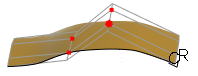
Click another point in the selected group to make it the active point.
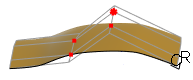
You can select multiple points to edit in these ways:
• Set the selection filter to  Box and drag a box around the points.
Box and drag a box around the points.• Set the selection filter to  Lasso, left-click the mouse, and drag the pointer to draw a closed loop around the points.
Lasso, left-click the mouse, and drag the pointer to draw a closed loop around the points.• Select a row bar line to select all the points in a row.
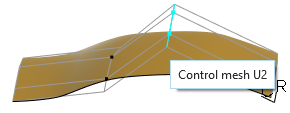
• Select a column bar line to select all the points in a column.
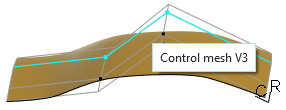
To remove points from the selection, double-click the selected elements in the lower right corner of the status bar  . This opens the Selected Items dialog box, where you can select multiple points, and click Remove.
. This opens the Selected Items dialog box, where you can select multiple points, and click Remove.You can set movement constraints for the selected points, and then drag or nudge them. A nudge is an incremental adjustment. When you apply a constant movement constraint, all the selected points move by the same amount as the active point. A linear or radial movement constraint moves the selected points by a proportion of the distance you move the active point.
Surface mesh boundaries are automatically constrained with one of the following options:
• Preserve Position
• Preserve Tangency
• Preserve Curvature
The default constraint corresponds to the surface connection type you set. When a boundary is constrained, you cannot edit its control points, and its connection to the neighboring surface is preserved. You can select a new constraint for one boundary, or you can clear all boundary constraints.