Swarf Finishing HSM Parameters
The following parameters are specific to the Swarf Finishing HSM NC sequences. They are listed under a heading corresponding to the name of the branch when you set up the parameters.
For description of the common manufacturing parameters, available for all NC sequence types, see Common NC Sequence Parameters.
Cut Depth and Allowances
• Swarf stock allowance (ID: SWARF_STOCK_ALLOW)
Defines the amount of stock left after the final cut on the swarf reference surfaces.
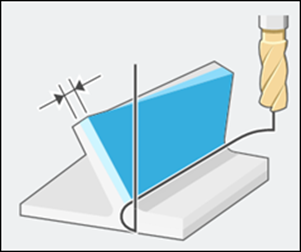
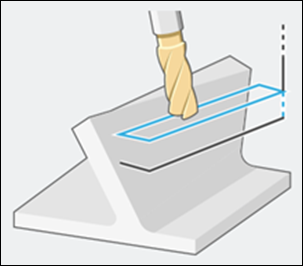
• Start overtravel distance (ID: START_OVERTRAVEL)
Automatically adds the distance at the beginning of the toolpath.
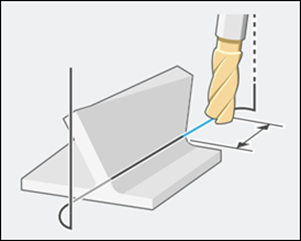
• End overtravel distance (ID: END_OVERTRAVEL)
Automatically adds the distance at the end of the toolpath.
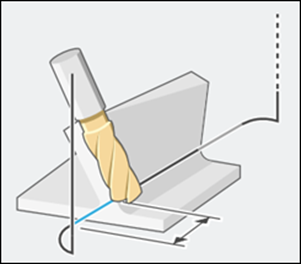
Cutting Motions
• Floor toolpath strategy (ID: FLOOR_TOOLPATH_STRATEGY)
Specifies the toolpath creation strategy based on the floor surface. The values are:
◦ ON_FLOOR—Always creates the toolpath with reference to the floor surface.
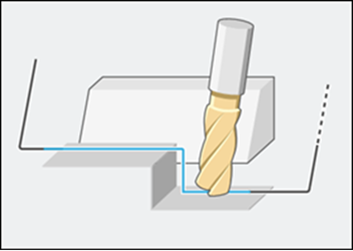
◦ ON_SWARF_AND_FLOOR—Creates the toolpath at the intersection of swarf and floor surfaces.
If no intersection exists, the toolpath is created on the lower edge of the swarf surface.

• Multiple cuts strategy (ID: MULTI_CUT_STRATEGY)
Specifies the cut depth option. The options are:
◦ BY_MAX_STEP_DEPTH—Considers the Maximum step depth parameter value for swarf cutting.
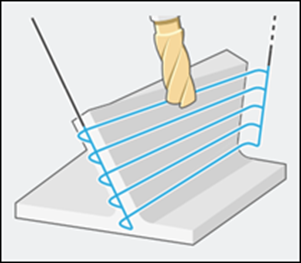
◦ BY_NUMBER_CUTS—Considers the Number of cuts parameter value for swarf cutting.
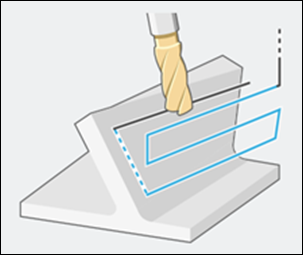
• Multiple cuts pattern (ID: MULTI_CUT_PATTERN)
Specifies the option to generate cuts with respect to the guide curves. The options are:
◦ MORPH—Creates blended cuts between the upper and lower guide curves.
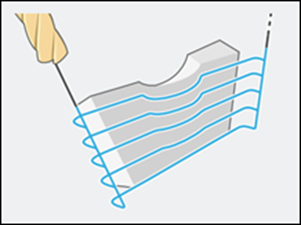
◦ OFFSET_FROM_TOP—Creates cuts parallel to the upper guide curve.
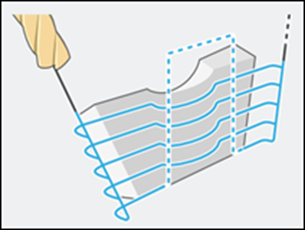
◦ OFFSET_FROM_BOTTOM—Creates cuts parallel to the lower guide curve.
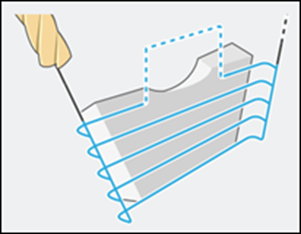
◦ ALIGN_WITH_LONGEST_CONTACT_LINE—Creates cuts parallel to the longest guide curve for ensuring full coverage of the area.

• Multiple passes order (ID: MULTI_PASS_ORDERS)
Specifies the order for multiple passes. The options are:
◦ BY_CUTS—Machines all cuts first and then move to inner pass.
◦ BY_PASSES—Machines all passes first and then move to the next cut.
Machine Settings
• Inner corner radius (ID: INNER_CORNER_RADIUS)
Sets the fillet size to control the rounding of internal corners.

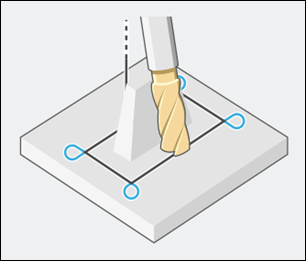
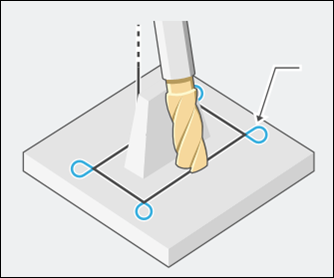
• Outer loop radius (ID: OUTER_LOOP_RADIUS)
Sets the arc size to control loop creation at external corners.
• Outer corner type (ID: OUTER_CORNER_TYPE)
Specifies the option to handle external corners. The options are:
◦ SHARP_CORNER—Maintains sharpness at all external corners.
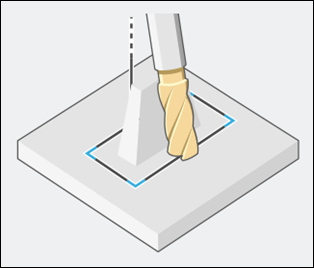
◦ ROLL_AROUND—Rolls the tool around all external corners to remove sharpness.

◦ LOOP—Creates external corners by extending straight segments and connecting with an arc to form a loop. Considers the Outer loop radius parameter value.