Welding: Edit Weld Geometry
Creo+
User Interface Location: Click >  Welding, and in the
  Weld and Joint Tree,
  Model Tree, or graphics window, click a solid fillet weld and select
  Activate Edit Weld Geometry in the mini toolbar.
Welding, and in the Weld and Joint Tree, Model Tree, or graphics window, click a solid fillet weld and select Activate Edit Weld Geometry in the mini toolbar.Videos
Description
In Creo+, Welding capabilities have been expanded to enable you to activate and edit the geometry of already-defined solid fillet welds.
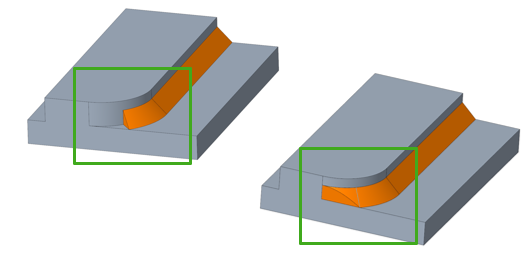
This enhancement provides a comprehensive workaround for creating fillet welds over a complex path. You can first create a simplified version of the weld, and then use Edit Weld Geometry to refine the simplified version using Creo part modeling tools. The modifications are stored in the weld definition, so once you deactivate the weld, you can go in and modify your changes at any time.
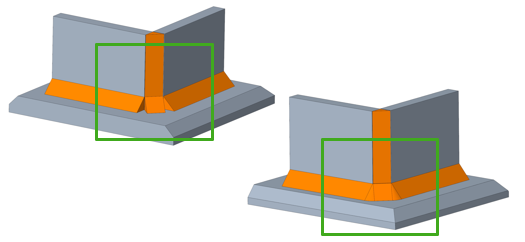
The new Parameters for the edited weld geometry must be modified manually. The system will prompt you with the steps to create accurate weld parameters for the new geometry.
Benefits
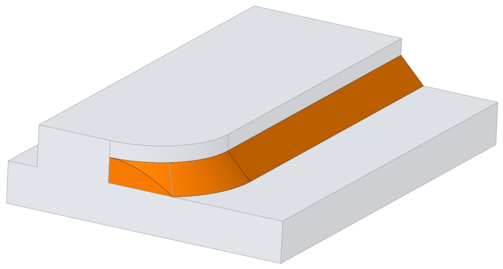
You can edit the weld geometry as if it were regular geometry modeled in Creo. Previously, if there was an issue generating the defined solid fillet weld, the system would not provide a workaround option. This enhancement ensures that you can accurately represent your welds in Creo.
Additional Information
Tips: | None. |
Limitations: | • The new parameters for the edited weld geometry must be modified manually. • Multi body capabilities are not available. |
Does this replace existing functionality? | No. |
Configuration option associated with this functionality: | None. |