Warp: Preserve Tangency Connections between Surfaces More Easily
Creo+
User Interface Location: Click > >  Warp, and in a Warp tool, click the References tab.
Warp, and in a Warp tool, click the References tab.
Videos
Description
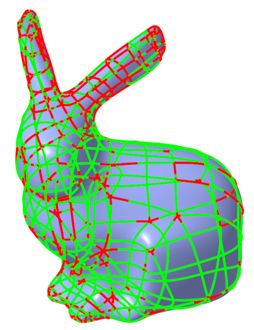
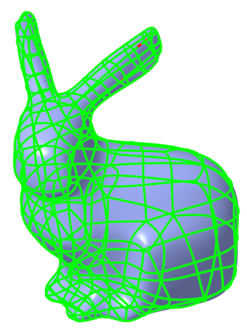
Warp has been enhanced to make it more convenient to preserve tangency connections between manipulated surfaces. The new Keep Tangency check box is located on the References tab. Previously, it was more difficult to locate and use this option.
The Keep Tangency check box is selected by default, preserving the integrity of the surfaces and increasing surface quality.
Creo 11:
Creo 12:
This option might increase regeneration time and slow down some operations. To increase the speed, you can clear the Keep Tangency check box.
This option does not preserve tangency between curves.
Benefits
• Improved Warp surface quality
• More convenient to use the tangency option
Additional Information
Tips: | None. |
Limitations: | No known limitations. |
Does this replace existing functionality? | No. |
Configuration option associated with this functionality: | None. |