Enhancement: Highlight New
Creo+
User Interface Location: Home tab in Creo+
Description
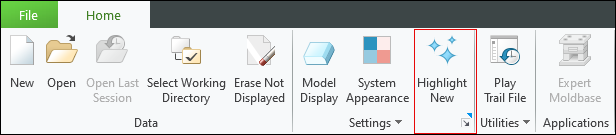
In Creo+, a new setting enables you to highlight new features, tools, or options. When the setting is enabled, the new features, tool, or options are marked with a small blue flag in the corner of the button.
To turn the setting on or off:
1. Click the Highlight New button on the Home tab, The Creo+ Options dialog box opens
2. In the Windows Settings pane, under Highlight New Functionality, select or clear the Enable highlighting of new functionality checkbox
Benefits
This enhancement provides a clear indication of the user interface changes that have been introduced since the last update of Creo+.
Additional Information
Tips: | None. |
Limitations: | No known limitations. |
Does this replace existing functionality? | No. |
Configuration option associated with this functionality: | None. |