Style: Automatic Piece to Piece Reparameterization Curve Generation on Surfaces
Creo+
User Interface Location: Click >  Style >
  Surface >
  Reparameterization, then right-click the model.
Style > Surface > Reparameterization, then right-click the model.Videos
Description
For Style surfaces, Creo now enables automatic generation of reparameterization curves in both the U and V directions, significantly enhancing surface quality.

For surfaces with composite boundaries, you can now automatically align piece to piece reparameterization curves to boundary endpoints, ensuring precise alignment with their counterparts on the opposite side.
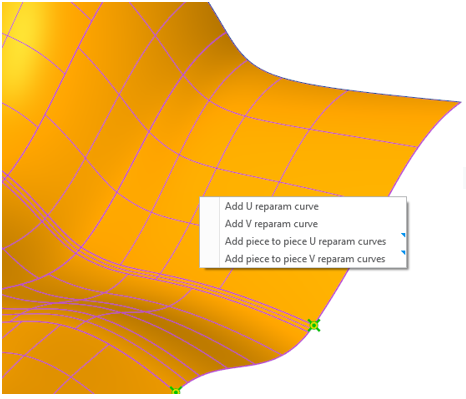
These generated curves are listed in the Reparameterization curves list, where you can further refine them as needed.
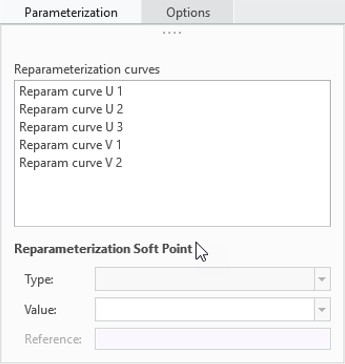
Previously, this process required manually creating reparameterization curves and aligning the curve endpoints to the boundary references.
Benefits
• Streamlines the creation of reparameterization curves, making the design process more intuitive and efficient
• Saves time and effort when working with complex surfaces
Additional Information
Tips: | None. |
Limitations: | No known limitations. |
Does this replace existing functionality? | No. |
Configuration option associated with this functionality: | None. |