Project and Offset Enhancements in Sketcher
Creo+
User Interface Location: Click > , > .
Videos
Description
Enhancements to the Project and Offset tools include:
• Flexible use of composite curves:
◦ Selection of individual segments of composite curves.
◦ Support for the following operations on individual segments of the composite curves.
▪ Cut, delete, translate, rotate, trim, mirror, copy and paste, replace, text, rotate and resize, corner trim, chamfer, and fillet.
▪ Snapping to joints in tools such as divide, line, arc, etc.
▪ Improved coloring of composite curves or of its individual segments.
◦ More stable composite curve segment IDs.
◦ Enhanced Replace and Redefine chain workflow. Geometry IDs are maintained for segments that remain in the geometry after the replacement or modification of the referenced chain or loop.
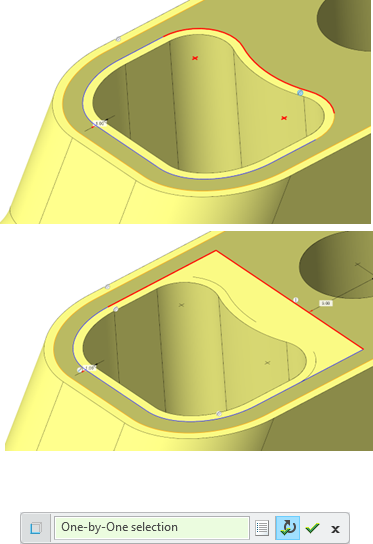
• Workflow improvements to Project and Offset include:
◦ Multi-selection workflow is now the default.
◦ Preview geometry is kept when exiting the tool, leaving the Sketcher environment, or switching to a different tool.
◦ Chain selection for curves offers the full set of chain selection methods.
Benefits
Enhanced workflows for increased usability and productivity.
Additional Information
Tips: | None. |
Limitations: | No known limitations. |
Does this replace existing functionality? | No. |
Configuration option associated with this functionality: | None. |