Improved Annotation Management
Creo+
User Interface Location:
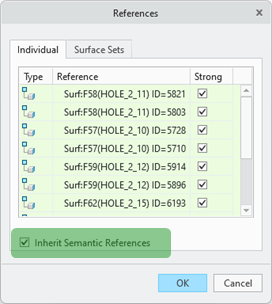
• New checkbox Inherit Semantic References available in the semantic reference user interface of standalone annotations and annotation feature user interface.
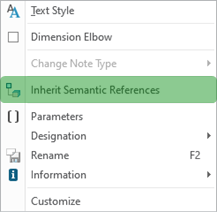
• Contextual menu of child annotations
Videos
Description
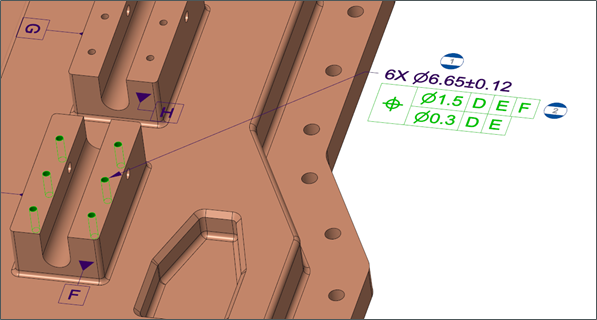
With this enhancement, child annotations can automatically inherit semantic references from their parent annotation when they are stacked or placed as related to other annotations.
The key capabilities of this enhancement include:
• Manage inheritance of semantic references from the reference user interface or from the context menu, when applied on child annotations.
• Future updates made to parent references will be reflected in linked child annotations.
• Additional semantic references can be added to child annotations without breaking the inheritance.
• Removal of any inherited reference will keep the remaining references but will remove the inheritance link.
Previously, manual selection references for child annotations was time-consuming, particularly when stacking annotations or relating symbols to other annotations.
Semantic reference inheritance is supported for:
• Stacked annotations.
• Symbols or Surface Finish symbols placed as related or offset from other annotations.
• Standalone and annotation feature annotation types.

Benefits
Less time spent on collection of semantic references and improved productivity.
Additional Information
Tips: | • A new query attribute has been added to the search tool to identify child annotations with broken reference inheritance. • Inheritance of semantic references is available for child annotations only and not available for parent annotations. • Legacy models with existing child annotations can be updated to inherit semantic references from their parent annotations using the inherit_semantic_references user command. |
Limitations: | |
Does this replace existing functionality? | No. |
Configuration option associated with this functionality: | None. |