Curve-based Draping Simulation
Creo+
User Interface Location: In the Composite environment:
1. Click  Draping Simulation. The Draping Simulation tab opens.
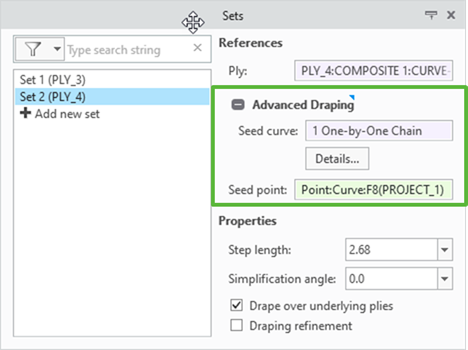
Draping Simulation. The Draping Simulation tab opens.2. Expand Advanced Draping in the Sets tab. The Seed curve box is available under Advanced Draping.
Description
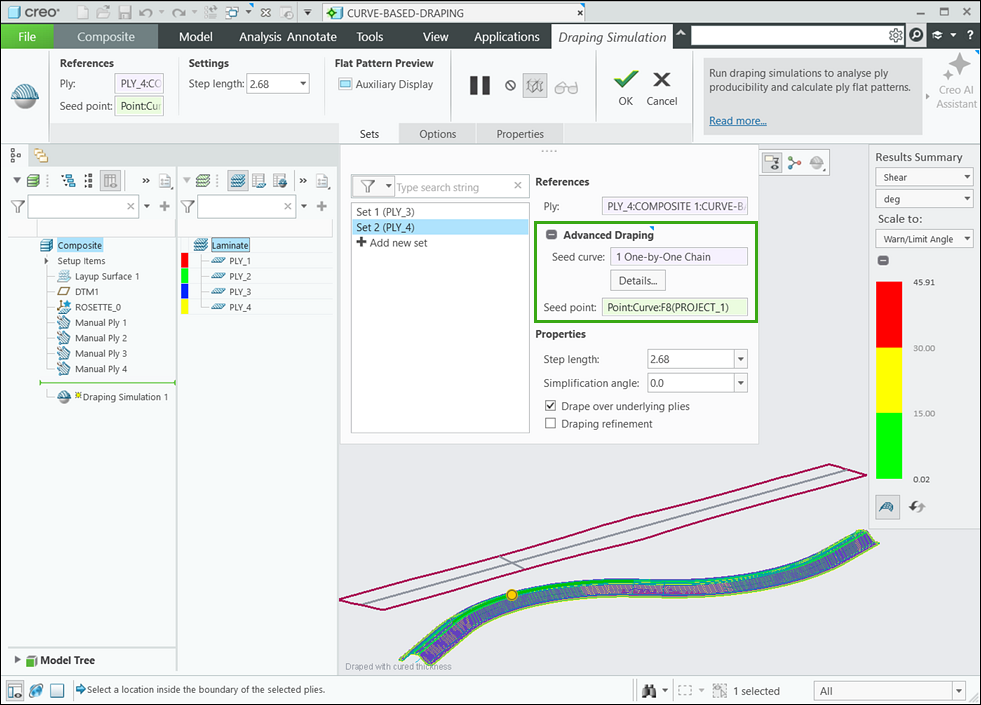
You can now drape a ply along a curved path using the advanced draping functionality. For this, you must expand Advanced Draping in the Sets tab, specify a curve in the Seed curve box, and then specify a seed point in the Seed point box. The seed curve defines the fixed warp fiber for the draping simulation and must lie within the ply boundary. The seed point must be selected on the curve.
Benefits
This enhancement enables the use of curves as fixed warp fibers, providing more accurate draping simulation results and flat patterns for plies, which improves productivity.
Additional Information
Tips: | None. |
Limitations: | No known limitations. |
Does this replace existing functionality? | No. |
Configuration option associated with this functionality: | None. |