Improved Visualization of Interference Results
Creo+
User Interface Location: >
Videos
Description
When visualizing areas of interference, you can now remove colors and isolate only the interfering parts.
The enhancements include:
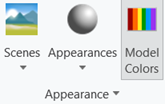
• Better access to the control of hiding assigned model colors.
◦ Model Colors is now available in the View tab by default.
◦ Improved visibility of interference areas.
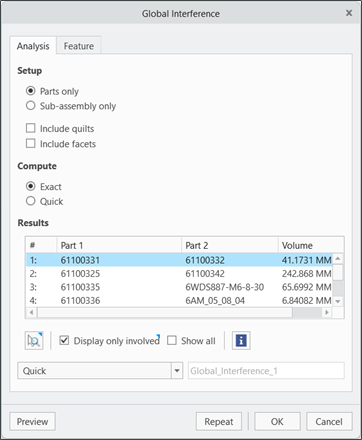
• A new option to zoom into the interference volume. Select this option from the right-click menu or from the Global Interference dialog box.
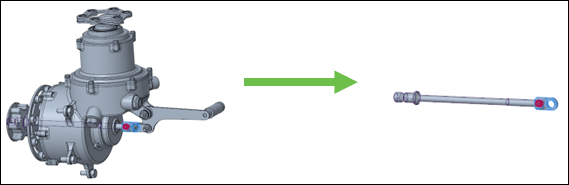
• A new option to isolate participating models. You can isolate only the components involved in the interference. Select the checkbox available in the Global Interference dialog box.
Benefits
• Improved visibility of interference areas, enabling quicker identification of issues.
• Easier visualization of the interference volume, supporting more efficient analysis.
Additional Information
Tips: | None. |
Limitations: | No known limitations. |
Does this replace existing functionality? | No. |
Configuration option associated with this functionality: | None. |