Warp Spine Tool—Define Spine by Selecting a Target Curve
Creo+
User Interface Location: Click >  Warp >
  Spine and select By Reference next to Target.
Warp > Spine and select By Reference next to Target.Videos
If the video does not play, watch it on YouTube.
Description
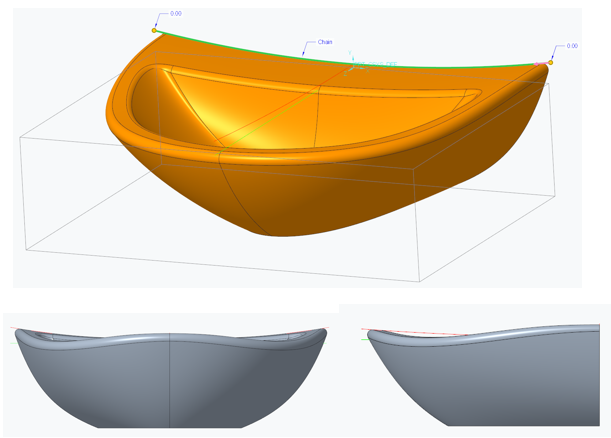
In the Spine tool in Warp, you can now select a target reference curve to represent the geometry modification of a spine.
• Change the deformation target on the Spine tab to By Reference so you can select the reference curve.
• Editing the reference curve will automatically regenerate the Warp feature.

Benefits
Capture proper design intent to dynamically update the Warp feature if the reference positions are modified.
Additional Information
Tips: | None. |
Limitations: | No known limitations. |
Does this replace existing functionality? | No. |
Configuration option associated with this functionality: | None. |