Style Curve on Surface (COS)—Additional Intersection Types to Snap Soft Points
Creo+
User Interface Location: Click >  Curve Edit for a COS>select a point>drag the point while holding down the SHIFT key, and snap it to the curve that intersects the parent surface by hovering over the intended intersection point.
Curve Edit for a COS>select a point>drag the point while holding down the SHIFT key, and snap it to the curve that intersects the parent surface by hovering over the intended intersection point.Videos
If the video does not play, watch it on YouTube.
Description
• Curve on Surface (COS) in Style has been enhanced to support additional intersecting geometry types when snapping the curve soft points.
The additional intersecting geometry types now include:
◦ Surface intersecting Curve
◦ Curve intersecting another Curve
◦ Plane intersecting a Curve
You can hold the SHIFT key and snap a COS soft point to the intersecting geometry reference.
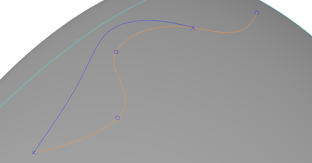
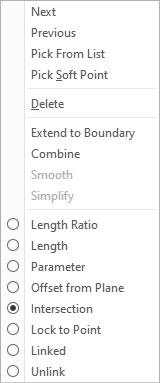
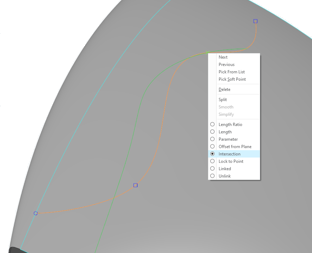
• For existing snapped soft points, you can change the reference type to Intersection and choose an alternative reference.
 |  |
Benefits
Improved reference control for COS to capture your design intent.
Additional Information
Tips: | None. |
Limitations: | No known limitations. |
Does this replace existing functionality? | No. |
Configuration option associated with this functionality: | None. |