Enhancement: Sheetmetal Shortcut Menus
Creo+
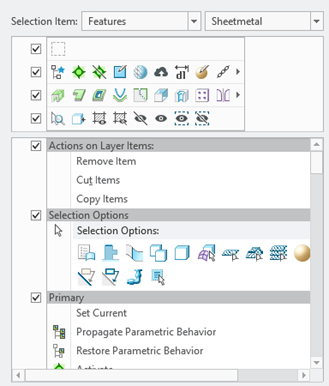
User Interface Location: Click > > , Selection Item list contains a new category Sheet Metal Items.
Description
This enhancement allows you to customize the shortcut menus specifically for sheet metal design context. There is a new category to define mini toolbars and context menus that are active when you select items while designing with Sheetmetal The out-of-the-box mini toolbars are now optimized for interactions while in the Sheetmetal and Model ribbon UI tab, respectively.
Sheetmetal shortcut menu options:
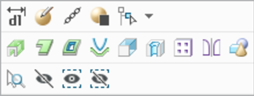
Shortcut menus when you are working in the Sheetmetal tab:
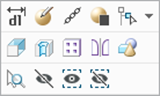
Shortcut menus when you are working in the Model tab:
Benefits
Increased efficiency and usability with extended context-sensitive command access in Sheetmetal design workflow.
Additional Information
Tips: | None. |
Limitations: | No known limitations. |
Does this replace existing functionality? | No. |
Configuration option associated with this functionality: | None. |