Enhanced Thickness Related Options in Convert
Creo+
User Interface Location: Click > > , or select a body, right-click, and select Convert to Sheet Metal.
Videos
If the video does not play, watch it on YouTube.
Description
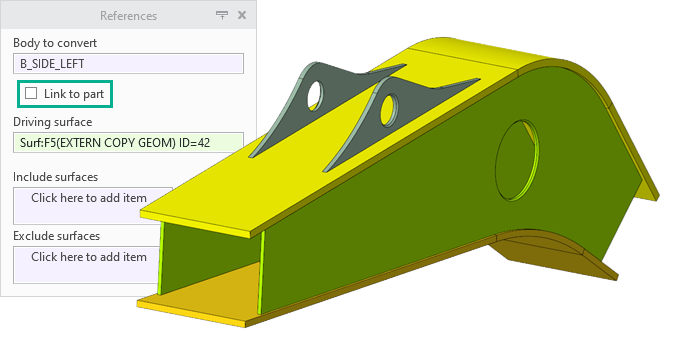
When you convert a solid body to a sheet metal body, you now have the option to link the sheet metal body to the sheet metal part. When the part thickness parameter does not exist, for example when the first body is converted, the body and part thickness parameters are set to the same value.
There are new thickness options available when you use the Driving Surface option.
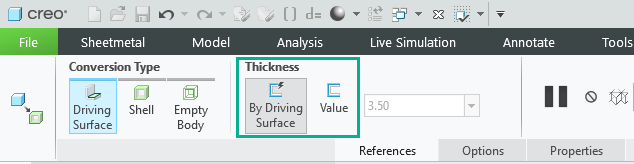
• Value—Has the following options:
◦ User-defined value—when the body is not linked to the part you can type a new thickness value.
◦ Part thickness value—when the body is linked to the part.
◦ Measured value from the original geometry at the time of creation (no automatic updates).
• By Driving Surface—Parametrically-driven body thickness that is derived from the original solid geometry, automatic updates during regeneration.
Benefits
Improved support of the top-down design of sheet metal parts and assemblies.
Additional Information
Tips: | None. |
Limitations: | No known limitations. |
Does this replace existing functionality? | No. |
Configuration option associated with this functionality: | None. |