Element Size Visualization in Simulation Live
Creo+
User Interface Location: Click >  Display Element Size.
Display Element Size.Videos
If the video does not play, watch it on YouTube.
Description
Creo Simulation Live now supports an indication of the element size within the Graphics Window. Display Element Size is a new option within the Live Simulation ribbon. As you move the pointer over a body you can see the element size of the mesh displayed along with the units of the model, as shown in the following figure:
Display Element Size is a new option within the Live Simulation ribbon. As you move the pointer over a body you can see the element size of the mesh displayed along with the units of the model, as shown in the following figure: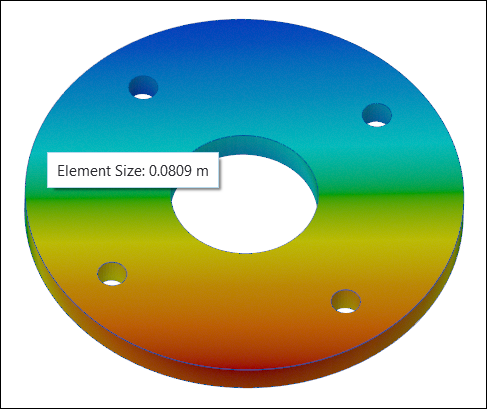
This is supported with all studies in Creo Simulation Live. Display of a visual element is planned for a future release.
Benefits
This enhancement provides the following benefits:
• Improved feedback for the user.
• Better confidence in the solution.
Additional Information
Tips: | None. |
Limitations: | No known limitations. |
Does this replace existing functionality? | No. |
Configuration option associated with this functionality: | None. |