Creo+: Support for Service Principals
Creo+
User Interface Location:
• To create a service principal: >
• To assign licenses to the Service Principal: Creo+ Admin Portal >Service Principal
• To activate a service principal: >
Videos
If the video does not play, watch it on YouTube.
Description
Creo+ has introduced a new service account type in the Creo+ Admin Portal called the service principal. The service principal is a secure user account that can run Creo+ on a remote computer or network.
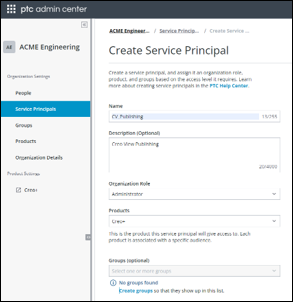
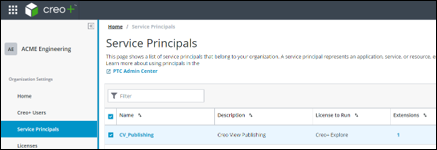
Administrators can create one or many service principal accounts within the Creo+ Admin Portal based on their requirements. Each service principal must be assigned an appropriate license entitlement (License to Run and Floating options) and can be added to a specific profile.
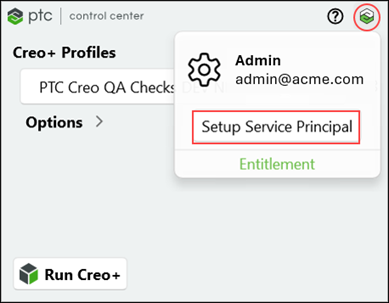
On a designated network machine, an Administrator can activate the service principal through the PTC Control Center to allow the account to be used to run Creo+.
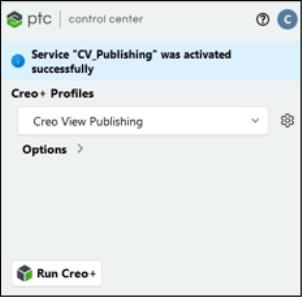
The Creo View Adapter for Creo+ can be configured to use the active service principal to publish Creo+ data without the need for the administrator to manually log into the PTC Control Center.
Benefits
This enhancement provides the following benefits:
• Provides a secure user account to be used with the Creo View Adapter for Creo+ to publish Creo+ data.
• Reduces the need to designate a registered user account for server-side activities such as Windchill workers.
Additional Information
Tips: | None. |
Limitations: | No known limitations. |
Does this replace existing functionality? | No. |
Configuration option associated with this functionality: | None. |