Support for Approximating Round Edges in Auto Deburring HSM Sequences
Creo+
User Interface Location:
1. In Manufacturing, click > >  Auto Deburring.
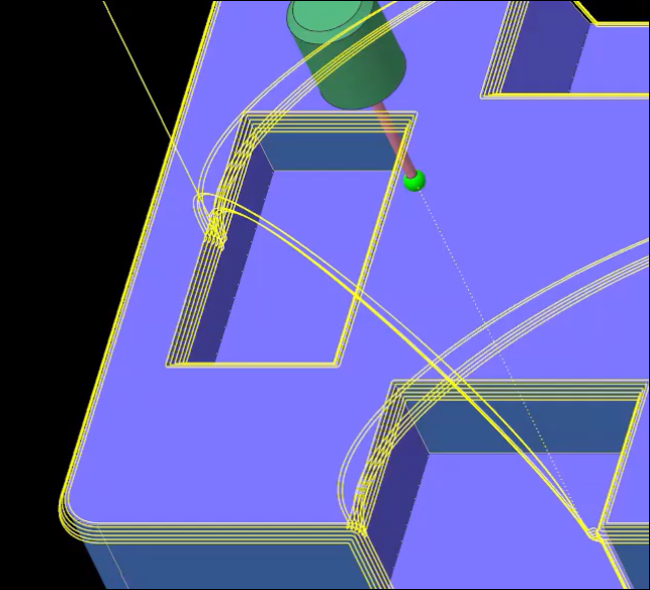
Auto Deburring.2. Click the Parameters tab and set the value of the EDGE_SHAPE parameter to ROUNDED.
Videos
If the video does not play, watch it on YouTube.
Description
With this enhancement, you can use the new EDGE_SHAPE parameter, which provides the CHAMFER (default) and ROUNDED option in the Auto Deburring HSM sequence. When set to ROUNDED, the toolpath approximates the round shape or fillet on the sharp edges in a sequence.

Benefits
This enhancement provides the following benefits:
• Ability to create round edges while deburring
• More flexibility to prepare a part for deburring
• Consistent with Creo NC workflows
Additional Information
Tips: | You must also set the NUMBER_CUTS parameter value to more than 1 when deburring the sharp edges to a chamfer or round shape. |
Limitations: | No known limitations. |
Does this replace existing functionality? | No. |
Configuration option associated with this functionality: | None. |