Delete Multiple Load Cases
Creo+
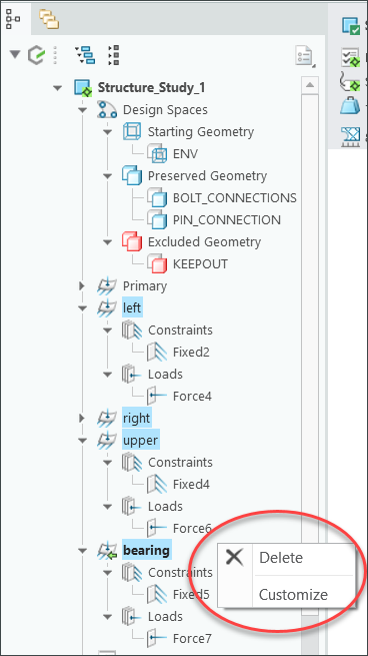
User Interface Location: In the Generative Tree, select multiple load cases, right-click, and then click Delete.
Videos
If the video does not play, watch it on YouTube.
Description
You can now delete multiple load cases in the Generative Design application. Previously, you could delete only one load case at a time.
You can delete multiple load cases from any study type. However, you cannot delete all load cases.
This enhancement is also applicable to the models saved in previous versions.
Benefits
This enhancement improves productivity and is consistent with the Creo workflow.
Additional Information
Tips: | None. |
Limitations: | No known limitations. |
Does this replace existing functionality? | No. |
Configuration option associated with this functionality: | None. |