GD&T Advisor Enhancement: New Option to Manage Visibility for Flat-to-Screen Notes
Creo+
User Interface Location: The option can be set in the GDTAAppOptions.xml file.
Description
GD&T Advisor now supports the Show_Flat-to-Screen_Notes option, available in the GDTAAppOptions.xml file, enabling users and CAD administrators to control the display of the flat-to-screen notes generated by GD&T Advisor.
When the option is set to ‘no’, GD&T Advisor notes will not be visible on the screen, but the relevant parameters will still be created. This allows users to include referenced information in other annotations. For example, users can call out the parameter &GDTA_STANDARD_REF_NOTES to reference the standards used by GD&T Advisor for that model (example, ASME Y14.5-2018, ASME Y14.41-2019).
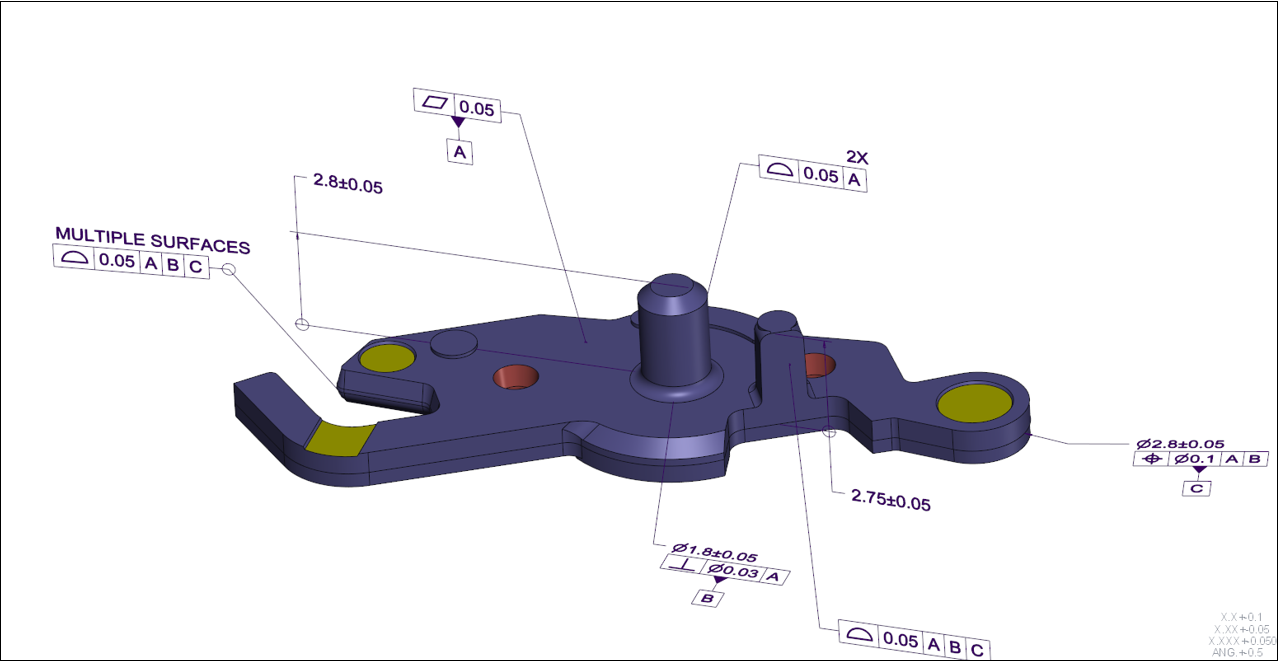
The following image shows when the option Show_Flat-to-Screen_Notes is set to no
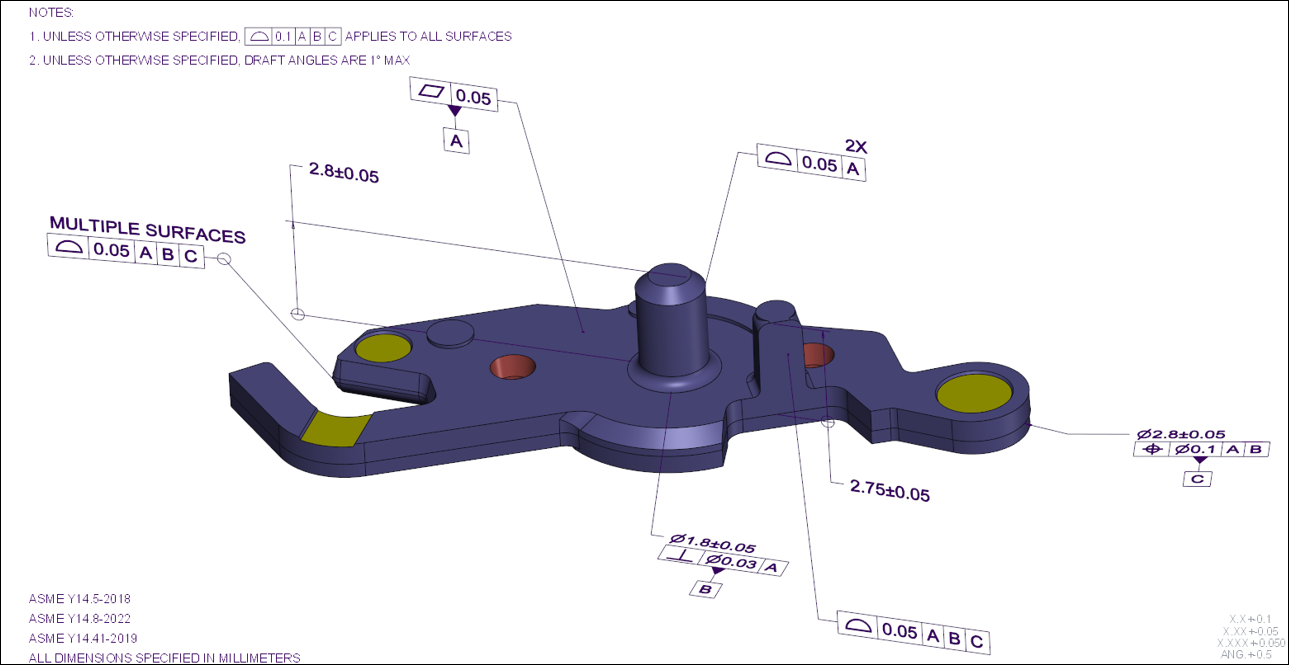
The following image shows when the option Show_Flat-to-Screen_Notes is set to yes
Benefits
With this enhancement, users can now easily control the visibility of the flat-to-screen notes in GD&T Advisor. In some cases, when applying MBD notes, users often prefer to use specific notes managed by their company’s policy. Previously, it was impossible to control the display of GD&T Advisor flat-to-screen notes, requiring users to hide them manually. This task is now much easier with the new option.
Additional Information
Tips: | None. |
Limitations: | No known limitations. |
Does this replace existing functionality? | No. |
Configuration option associated with this functionality: | When this option is set to ‘yes’ or does not exist in the options XML file, the notes appear on the screen as in pre-Creo 12 versions. |