Ffowcs-Williams Hawkings Model Simulation Exercise 4— Performing the Simulation
A Transient Simulation is performed for FWH model using the following steps.
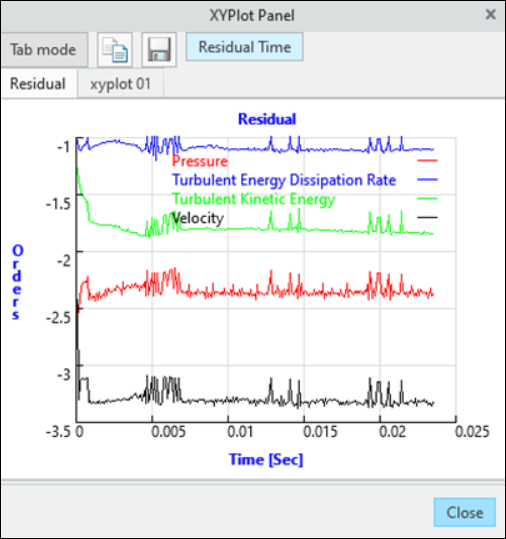
Simulation residuals
1. In the Flow Analysis Tree, under Physics select Common.
2. In the Properties panel, Model tab, set values for the options as listed below:
a. Number of Iterations—15
b. Time Definition—Transient
c. Time Definition—Rotating System
d. Number of Revolutions—2
e. Time Steps per Revolutions—120
f. Rotational Speed—5100 rpm
g. Result Saving Frequency—120
3. In the Project group, click  Load Results to load the steady state result. The Open dialogue box opens.
Load Results to load the steady state result. The Open dialogue box opens.4. Select PROPELLER_Project 1.sres file and click Open.
5. In the Run group, click  Start from Solution to begin the simulation from solution.
Start from Solution to begin the simulation from solution.6. Click  Run to begin the simulation.
Run to begin the simulation.7. Click  XYPlot Panel to view the residuals for the transient simulation.
XYPlot Panel to view the residuals for the transient simulation.8. Click OK when the simulation is complete.
 | The default convergence criterion is 0.1 for Transient simulations. When the residuals for all the variables drop by 1 order, or the maximum Number of Iterations is reached, the simulation proceeds to the next time step. |