Ffowcs-Williams Hawkings Model Simulation Exercise 3— Creating Monitoring Points
To create a Monitoring Point
1. Create a monitoring point by selecting Monitor Points under Post-processing group in the Flow Analysis ribbon.
2. In Results, under Monitoring Points, select Point 01.
3. In the Properties panel, Model tab, set values for the options as listed below:
◦ Position—-0.0225, 0.1, 0.2 meters
◦ Acoustic Receiver—Yes
4. Create a monitoring point by selecting Monitor Points under Post-processing group in the Flow Analysis ribbon.
5. In Results, under Monitoring Points, select Point 02.
6. In the Properties panel, Model tab, set values for the options as listed below:
◦ Position—-0.0125, 0.05, 0.075 meters
◦ Acoustic Receiver—Yes
7. In the Functions panel, click Turn on/off view properties and select Show all surfaces from the list. The monitoring point appears as shown in the image.
Monitoring Point
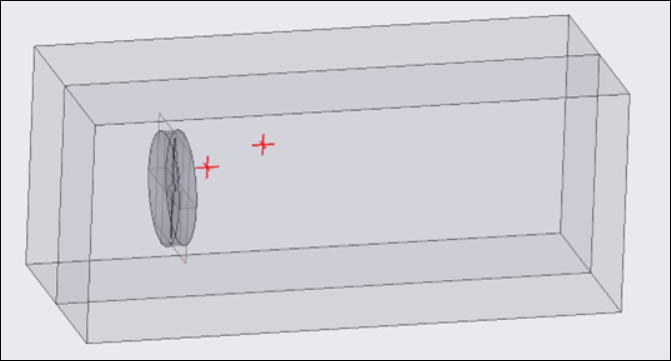
 | Monitor points are created before the simulation to measure the sound pressure level at specific locations. |