Get Started: Thicken

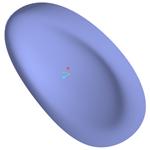
Transform quilt geometry into solid geometry by thickening it to add or remove material.
1. Select a quilt to thicken.
2. Define the thickness of the material using  under Thickness.
under Thickness.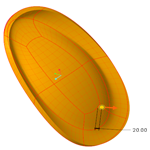
3. Optionally, click  to flip the direction of the resulting geometry: one side, other side, or symmetrically on both sides of the quilt.
to flip the direction of the resulting geometry: one side, other side, or symmetrically on both sides of the quilt.4. Click  OK.
OK.
OK.