Get Started: Profile Rib
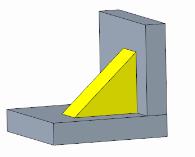
A profile rib is used to strengthen parts. It is attached to solid surfaces in a part.
This example shows two perpendicular solid surfaces.
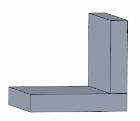
To create a profile rib:
1. On the Profile Rib tab, click Define on the References tab.
2. In the Sketch dialog box, select a datum plane as the sketching plane. Click Sketch.
3. Click  References in the sketch view and select reference surfaces on the model. Click Close.
References in the sketch view and select reference surfaces on the model. Click Close.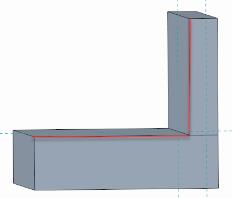
4. Click  Line and draw a line between the selected reference surfaces. Click
  OK.
OK.
Line and draw a line between the selected reference surfaces. Click OK.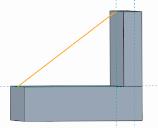
5. In the graphics window, drag the handles to define the thickness of the profile rib, or enter a value in the  Width box.
Width box.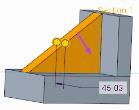
6. Click OK.
OK.