Overlap check during unfolding operations
Creo Elements/Direct Modeling 20.8.0.0
User Interface Location:
• > .
• > .
• > > .
• > > > .
Videos
If the video does not play, watch it on YouTube.
Description
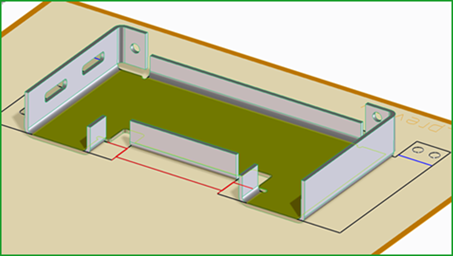
A check for overlapping contours is now available, when unfolding a sheet metal design using Unfold 2D. This check generates a warning and highlights overlapping or touching contours in a preview.
 |
If the Both Sides checkbox is selected, the evaluation is done based on the base surface only.
|
In addition to Unfold 2D, the check is also available for Multi Unfold, Create Flat, and related dependent view creation and update tools in Annotation.
• In Multi Unfold, the overlapping contours are visible when you select the Preview checkbox.
• In Annotation, a message is generated if overlapping contours are detected. Simultaneously, a table opens, listing all flat views with overlapping contours. You can also open the table by clicking > in the Setup group.
|
Modeling
|
Annotation
|
|---|---|
 |
 |
The following sheet metal macros are added to control the behavior:
• sha_show_flat_sheet_contour_overlap_result
◦ :DISPLAY, :NO-DISPLAY, :RET-VALUE
• sha-inq-last-flat-contour-overlaps-outcome
Benefits
Design validations to help avoid costly manufacturing issues downstream.
Additional Information
|
Tips:
|
None.
|
|
Limitations:
|
Situations with touching vertices are not reported in the overlap check.
|
|
Does this replace existing functionality?
|
No.
|
|
Configuration options associated with this functionality:
|
None.
|