Change a center hole
The hole is automatically created in the center of a circular face. After you create a hole, you can change its position, direction, and size.
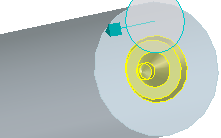
To change a center hole,
 | You can modify a center hole only if Create feature in the Preferences dialog box is On. Click  (dialog box launcher) in the Feature group to open the Preferences dialog box. (dialog box launcher) in the Feature group to open the Preferences dialog box. |
1. Click Part Library and then, in the Feature group, click the arrow next to  Center Hole.
Center Hole.2. Click  Modify center hole in the Modify section. The Center hole dialog box opens.
Modify center hole in the Modify section. The Center hole dialog box opens.3. Select a center hole in the viewport or Structure Browser.
4. The type is automatically detected.
5. Change the parameters as desired.
6. Click OK  to complete the operation.
to complete the operation.