My Profile
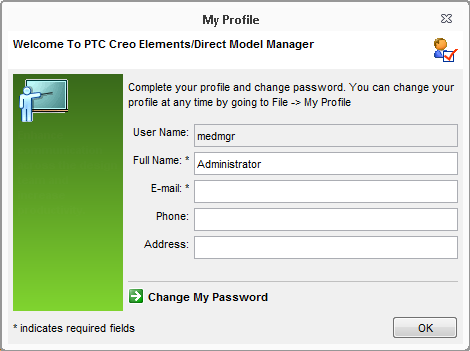
The first dialog box that opens after you log in is My Profile for the medmgr user.
1. Verify the Full Name and E-mail entries.
2. Enter or update Phone and Address information. These fields are optional.
3. To change the medmgr password from null (blank) to something else, click Change My Password.
a. Enter the new value in both New Password and Confirm New Password.
 |
The password must be 12 to 64 characters long.
|
b. Click OK.
4. Click OK.
 |
You can always update this information later from the > or > menu items.
|