Configure Creo Elements/Direct Manager Servers - License Servers, Database Server, File Server
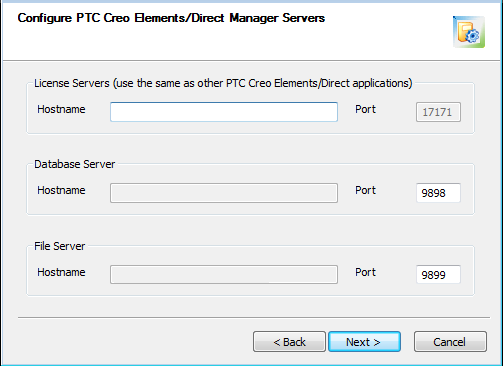
If you have chosen to install a server, the Hostname field will contain your computer name and be grayed out (not editable). If you are not installing a server (you are using an existing server), the Hostname field will be empty and you must enter the computer name or fully qualified domain name of the existing server.
The default ports are displayed. If the field is not grayed out, you can edit the port (if necessary).
• License Servers: The name(s) of existing License Server(s) (use to separate multiple entries). The default port is 17171 (and cannot be changed).
• Database Server: Either the fully qualified domain name of this computer, or the name of an existing Database Server. The default port is 9898.
 |
The Database Server installation allows approximately 120 concurrent users. To allow more users, you will need to increase the desktop heap size.
|
• File Server: Either the fully qualified domain name of this computer, or the name of an existing File Server. The default port is 9899.
Click Next to continue.
|
|
A fully qualified domain name follows this pattern: mycomputer.subdomain.domain.com.
|