Using Fly By Highlighting and Handles
Fly By Highlighting
When you pass over an element with your cursor, Fly By highlighting indicates which elements are available for work. Fly By highlighting is available in three modes:
No commands are active
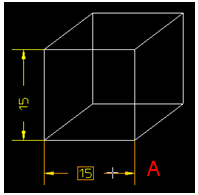
When you pass over an element with your cursor, Creo Elements/Direct Drafting highlights the elements that you can drag (A) or that have handles (when you click on the element) (B).

A command is active
When you pass over an element with your cursor, the highlighted elements can be used for the command. In the image, the arrow points to the highlighted element where the text box will be placed.

Selection of parts
When you hover over an element belonging to a part or the rounding box of the part, Creo Elements/Direct Drafting highlights the part.
