Creating a Contour
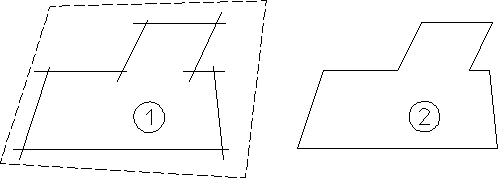
The Contour command creates a smooth contour by deleting overlapping elements.
To create a contour from a number of overlapping lines:
1. Click Contour in Modify.
2. Enclose the elements in a box.
Creating a Contour