Generate The Variation
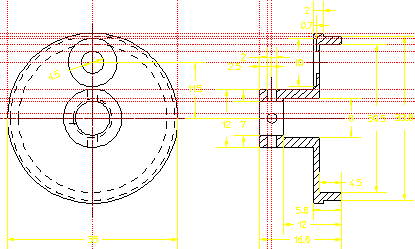
When you feel you understand the connections between the two views of the part, modify the constraints on the hole and the ring and SOLVE to see how Parametric Design makes use of these connections.
1. Go to MENU 2 and select ASSIGN and Dimension.
2. Pick the dimension for the diameter of the large hole in the front view (This dimension is currently 6.5).
Type in: 4.5 [Enter]
3. Pick the dimension for the inner diameter of the ring in the side view. (This dimension is currently 31.8.)
Type in: 30.5 [Enter]
4. Press END.
5. Now select NoKeep in SOLVE.
Demopart03 Variation