Setting the Active Layer
When a particular layer is active, all subsequently drawn elements will be placed in it.
To set a layer active:
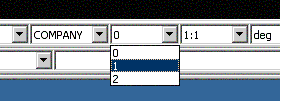
1. In the status toolbar, use the layer field pull-down menu and select the active layer.
2. Click the desired number and you are ready to start drawing in the layer.