Assembly – Hidden Lines Invisible
You can display your assembly drawing so that the lines that will be generated as hidden are removed from the view. This is useful as a check to see exactly which lines in your assembly will be generated as hidden lines.
1. Click Hidden and then, in the Modify group, click the Hidden Mode check box.
2. Click the current viewport.
To confirm hidden mode, Creo Elements/Direct Drafting displays - H - in the top-left corner of the viewport (after the part name of the viewport top part).
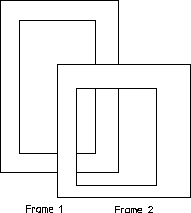
Creo Elements/Direct Drafting redraws the assembly. The hidden lines are now invisible. See the below figure.
Figure 189. Assembly View with Hidden Lines Invisible