IGES to MI Entity Mappings
This chapter contains an entity mapping table, which lists all the entities supported by the IGES 2D Translator. Most entities are represented pictorially.
|
Points
|
 |
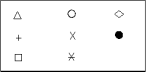
Polymarker
|
 |
|
Line
|
 |
Line
|
|
|
Circular arc
|
 |
Arc or circle
|
|
|
Conic arcs
|
|||
|
Elliptical, Hyperbolic, Parabolic
|
 |
Spline (SPL)
|
|
|
Parametric splines
|
|||
|
Non-linear
|
 |
Spline (SPL)
|
|
|
Linear
|
 |
Polyline
|
|
|
B-spline (non-rational)
|
|
1. B-spline (BSPL—depends on current B-spline setting) or
2. Spline (SPL)
|
|
|
B-spline (rational)
|
Spline (SPL)
|
||
|
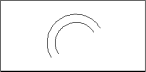
Offset curves
|
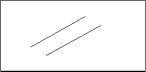 |
Line or arc or spline (SPL)
|
|
 |
|
||
 |
|
||
 |
|
||
|
|
||
|
Copious data
|
 |
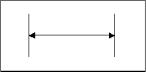
Polymarker, lines or leader (without arrow)
|
|
 |
|
||
 |
|
||
 |
|
||
 |
|
||
|
Composite curve
|
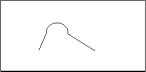 |
Composite curve
|
|
|
Flag note
|
 |
Text and lines
|
|
|
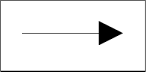
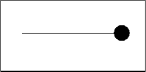
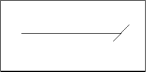
Leader arrow
|
 |
Leader arrow
|
 |
 |
|
||
|
|
||
 |
|
||
 |
 |
||
 |
|
||
|
(Leader arrow continued)
|
|
|
|
 |
|
||
 |
|
||
 |
|
||
 |
|
||
 |
|
||
|
Point dimension
|
 |
Leader line and circle, arc or composite curve and text
|
|
|
Ordinate dimension
|
 |
Leader lines, geometric and text
|
|
|
Linear dimension
|
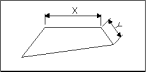 |
Linear dimension
|
|
|
Radius dimension
|
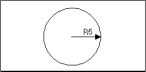 |
Radius dimension
|
|
|
Diameter dimension
|
 |
Diameter dimension
|
|
|
Angular dimension
|
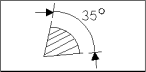 |
Angular dimension
|
|
|
General note
|
 |
Text
|
|
|
General label
|
 |
Text and leader lines
|
|
|
General symbol
|
 |
Leader lines, geometry entities and text
|
|
|
Symbol
•
IGES 1001
•
IGES 1002
|
Creo Elements/Direct Drafting binary text fonts (delivered with IGES software hp_i1001_v(c) hp_i1002_v(c)
|
||
|
Hatch (defined by section) IGES Rev 2.0
|
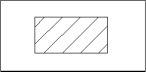 |
Lines or leader line (without arrow)
|
 |
|
Hatch (defined by section area) IGES Rev 3.0
|
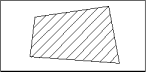 |
Hatch
|
|
|
Subfigure definition and singular subfigure instance
|
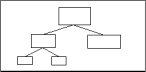 |
Assembly hierarchy element part
|
|
|
Drawing scale
|
 |
Drawing scale
|
|
|
Group
|
 |
Group info attributes
|
 |
|
View along Z axis
|
 |
View to plane X, Y
|
 |
|
Drawing
|
 |
Drawing
|
|
|
Levels
|
 |
Layer info attributes
|
|
|
Colors
|
|||
|
Black
|
 |
White (since black is invisible in Creo Elements/Direct Drafting)
|
 |
|
White
|
|
White
|
|
|
Red(1)
|
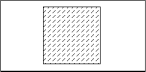 |
Red
|
|
|
Yellow
|
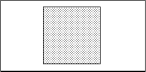 |
Yellow
|
|
|
Green
|
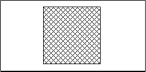 |
Green
|
|
|
Cyan
|
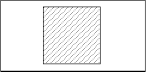 |
Cyan
|
|
|
Magenta
|
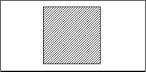 |
Magenta
|
|
|
Blue
|
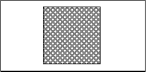 |
Blue
|
|
|
Color Definition
|
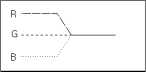 |
RGB Color
|
|
|
Line font (The five IGES line fonts are mapped to eight of the MI linetypes)
|
|||
|
Solid
|
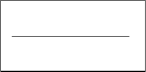 |
Solid
|
|
|
Dashed
|
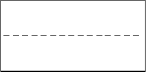 |
Dashed
|
|
|
Phantom
|
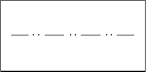 |
Phantom
|
|
|
Center line
|
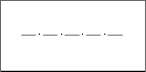 |
Dot center
|
|
|
Dotted
|
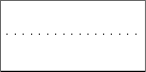 |
Dotted
|
|
|
Blanked
|
 |
Color = black (since black is invisible in ME10, text info is added to the entity)
|
|
|
Visible
|
 |
Normal translation
|
|
|
Lineweight (geometry) (depending on config. switch)
|
 |
Pensize / Linesize
|
|
(1) Shading is used to give the effect of different colors.