Dimension Text Location
The location of dimension can be in one of three positions:
Dimension Location
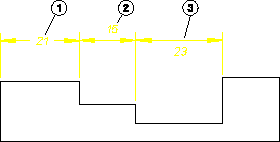
1. On the dimension line.
2. Above the dimension line. This is the default.
3. Below the dimension line.
To set the location of dimension text:
1. Click Text in the Dimension Settings dialog box.
2. In the All Texts area, select one of the following in the Location box:
◦ On
◦ Above
◦ Below