Creating a Contour
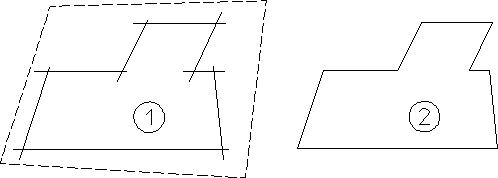
Creo Elements/Direct Drafting allows you to draw a smooth contour by deleting overlapping elements using  Contour
ContourTo create a contour from a number of overlapping lines:
1. Click Modify and then, in the Draw group, click More.
2. Under Modify, click Contour
Contour3. Enclose the elements in a box.
Creating a Contour