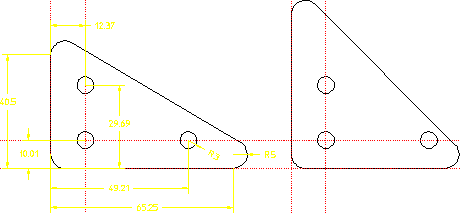
Solve
Now use Solve to generate the variation.
1. Click Preview in Solve. The magenta outline shows how the variation will be created without disrupting the current part.
2. Click End.
3. Click No Keep in Solve. Your original part is now replaced with the variation. Notice that the dimensions you assigned to be 55 earlier are now indeed 55. The hole geometry has not moved.
4. Click Undo to restore your original part.
Preview Mode
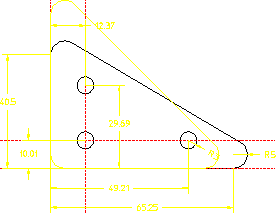
The third Solve option, Keep, allows you to keep both the original and the variation. If you try Keep now, make sure you delete all the variations (but not the master part) when you have finished.
Part and Kept Variation