Reviewing and Merging Changes
You use Streams to work on different versions or variants of specifications in parallel without interference. When working in parallel on the same specification in different Streams, it is essential to be able to efficiently identify and merge changes implemented in the different Streams.
Modifications in Streams
Initially, the items in a Stream are the exact copies of the original items.
When you update or create an item, you see notification badges on that item in a non-Initial Stream. A yellow badge is displayed if the item was updated or created in that Stream. A blue badge is displayed if the Stream is a child of the Stream where the item was updated or created.
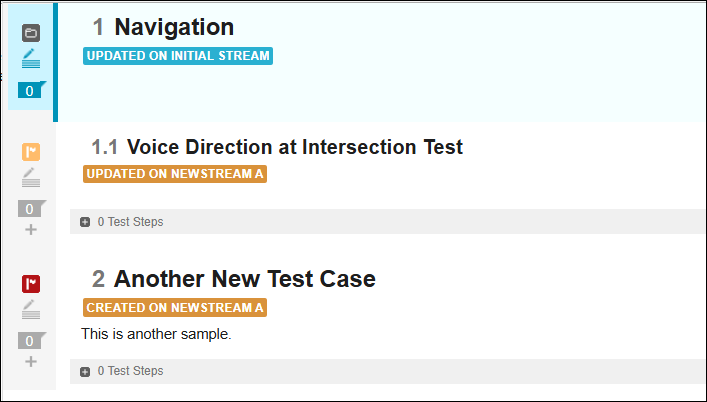
The possible badges are:
• CREATED ON STREAM: The item was created on this Stream after the last merge, but it does not exist on the parent Stream.
• UPDATED ON STREAM: The item was updated on this Stream after the last merge and it is different from its pair on the parent Stream.
• UPDATED ON INITIAL STREAM: The pair of this item on the Initial Stream was updated after the last merge and is different from the Stream item.
Clicking the Created or Updated badge displays the differences between the items in a dialog box. You can use this dialog box to merge the item.
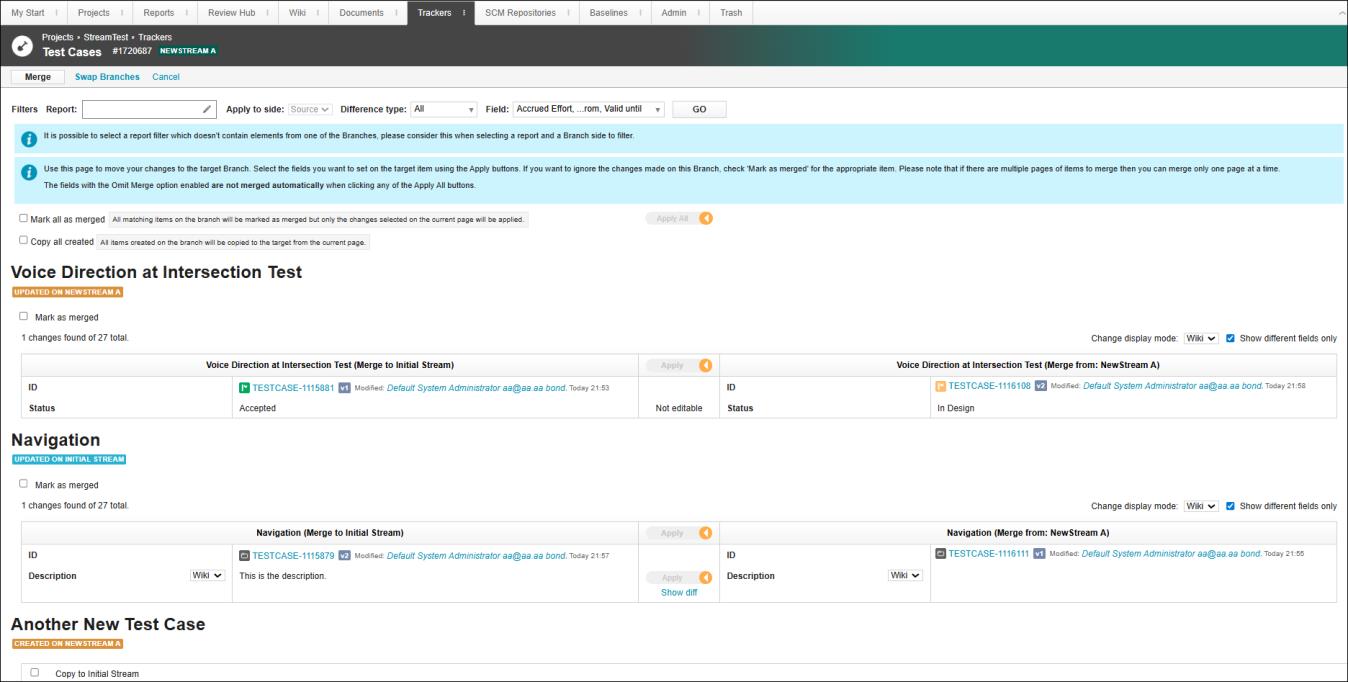
The badge for an item is removed after the merge operation between the Stream and its parent.