Example: Rendering Data in Multi-Row
To create an export where an issue appears in multiple rows instead of a single row, use the jt:forEach tag that spans multiple rows. All rows are repeated and the expressions inside are evaluated.
The following image is an example of the template.

It generates the output as shown:
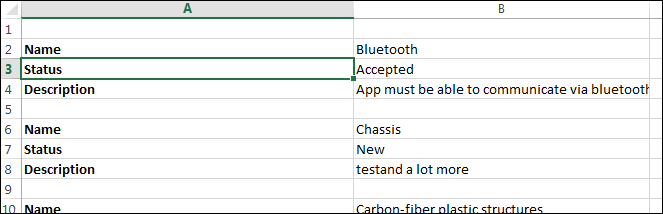
 |
If you want a compact look and to remove the blank rows, use thejt:forEach tag just before the Name text in the same cell.
|