Configuring Mercurial for Microsoft IIS
Advantages of Accessing Mercurial Repositories through Microsoft IIS:
• IIS is shipped with most Windows distributions and does not require extra installation.
• No setup is required for an extra port for external access.
• No SSH key setup is required.
This page describes how to setup Microsoft IIS to serve Mercurial repositories.
This guide was created for Windows Server 2003. However, the steps are similar for other windows releases.
 |
• Codebeamer must be installed and started before this configuration can be used.
• IIS does not support file based authentication and so the authentication must be done through LDAP.
|
Installing Mercurial and Python
|
|
Select the 32 bit version of all software mentioned below even if you are running 64 bits Windows
|
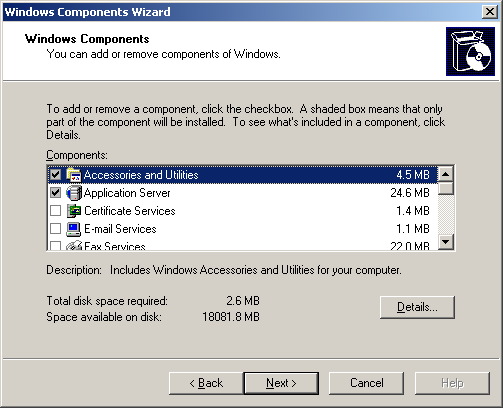
If IIS is not enabled go to Control Panel, select Add/Remove Programs, click Add/Remove Windows Components and check Application Server.
Download and install Python 2.6.6 using this URL:http://www.python.org/ftp/python/2.6.6/python-2.6.6.msi
Use C:\Python26 as installation directory.
Download the Mercurial runtime from the location below. Note that this does not install a complete Mercurial client.
http://mercurial.selenic.com/release/windows/mercurial-1.7.1.win32-py2.6.exe
Install the runtime to the same directory where Python was installed (C:\Python26).
Download and install PyWin (also to C:\Python26:PyWin).
Download and install the ISAPI wsgi handler:
http://isapi-wsgi.googlecode.com/files/isapi_wsgi-0.4.2.win32.exe
Clone the Mercurial repository to a temporary location. You can use the mercurial executable shipped with mercurial:
CBHOME\libexec\hg\hg.exe clone http://selenic.com/repo/hg
(in the command changeCBHOME to the installation directory of Codebeamer).
Navigate to the directory, where you cloned the Mercurial repo to. Copy hg\contrib\win32\hgwebdir_wsgi.py to CBHOME\repository.
Edit this line starting with hgweb_config in hgwebdir_wsgi.py and change the path like this: hgweb_config = r'CBHOME\repository\scmweb\hgweb_apache.config'
From command line, navigate to CBHOME\repository and execute the following command:
C:\Python26\python.exe hgwebdir_wsgi.py
This generates _hgwebdir_wsgi.dll that IIS uses.
Configuring IIS for Mercurial
Start IIS manager: > >
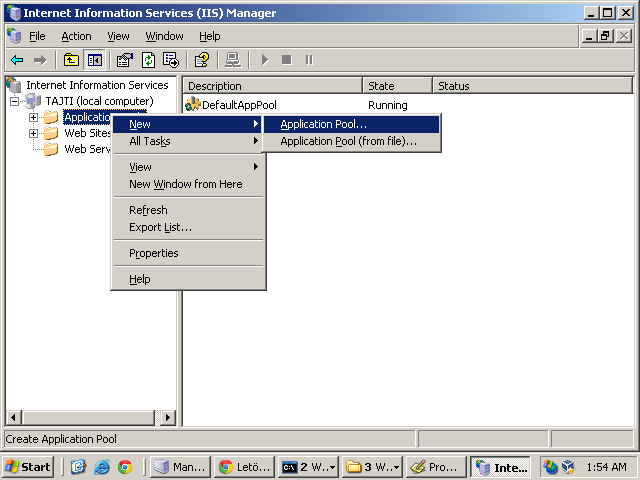
You have to create a new Application Pool called Mercurial.
To achieve this right click Application Pools and select > . In the popup type Mercurial as name and click OK.
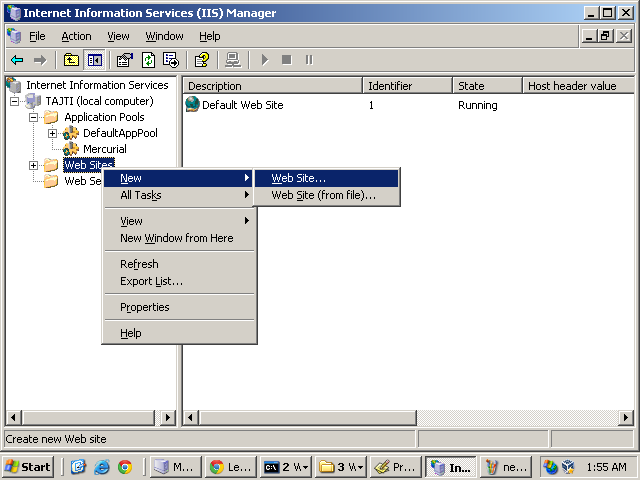
Then create a new web site:
• In the left tree right click the Web Sites and from the popup menu choose > :
• Follow the steps of the wizard.
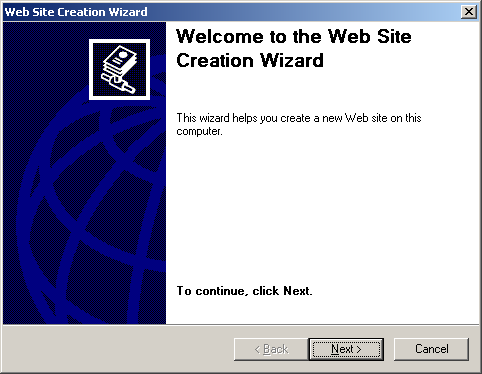
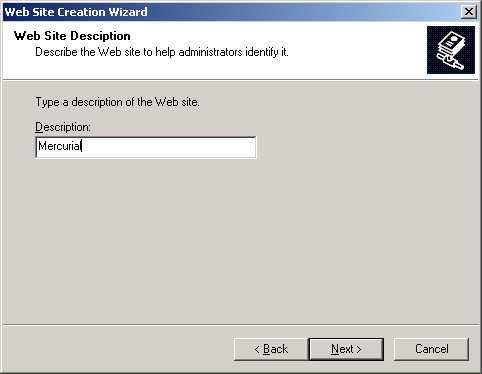
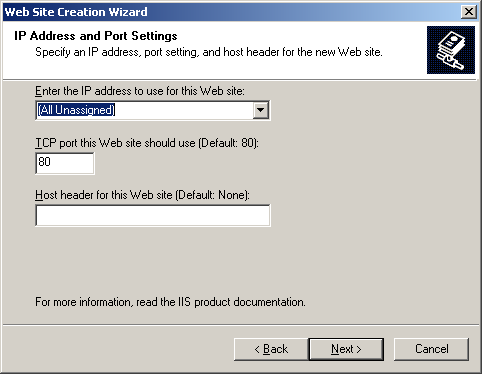
(at this point make sure that you choose a port that is not in use)
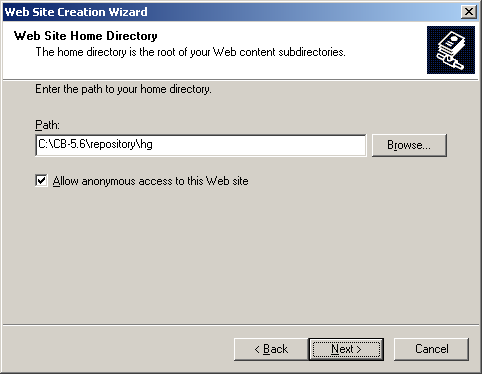
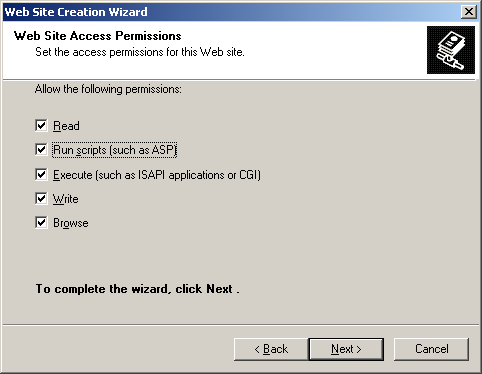
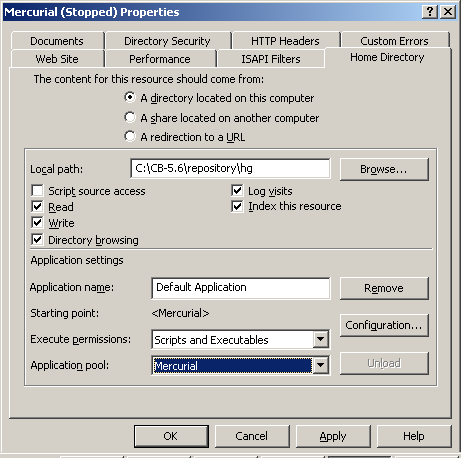
Now the web site is created. Right click it and choose Properties. Click the Home Directory tab and set the Application Pool to Mercurial:
Switch to the Directory Security tab, click Edit in the Authentication and access control. Disable anonymous access and enable basic authentication. This makes you able to access repositories using users configured on the server.
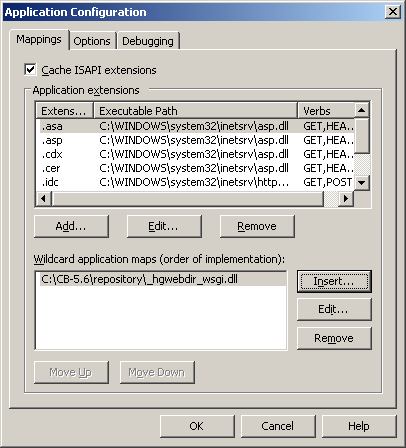
You have to create a new handler mapping by following these steps:
1. Right click the new Mercurial webpage in the left tree.
2. Click Properties in the context menu.
3. Click the Home Directory tab.
4. Click the Configure then select the Mappings tab.
5. Click Insert and in the Executable field set the CBHOME/repository/_hgwebdir_wsgi.dll that was created previously.
6. Clear the Verify that file exists.
7. Click OK, then click Apply.
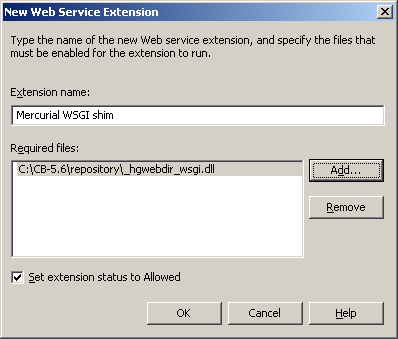
The last important step is adding a new web service extension:
1. Right click Web Service Extensions in the left tree and select Add a new Web Service Extension.
2. Type Mercurial WSGI shim as name and click Add.
3. Browse the previously created _hgwebdir_wsgi.dll and make sure to check the Set extension status to Allowed checkbox.
Restart IIS. You can browse your mercurial repositories using this URL:
http://localhost:PORT/hg
WherePORT is the port number you specified when creating the Mercurial webpage.