Configuring an External Subversion Repository
To configure an external Subversion repository for the project:
1. Select the project.
2. Click >
3. Select > . This opens the > page.
4. Click Use Existing External Repository.
5. Click Next. This opens the > dialog box.
6. Enter the following access parameters for the Subversion repository:
7. Click Save.
Figure: Select Internal Managed Repository or External Repository
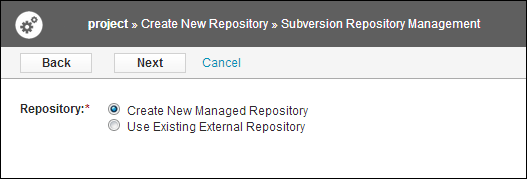
Figure: Configuration for Access to Existing SVN Repository
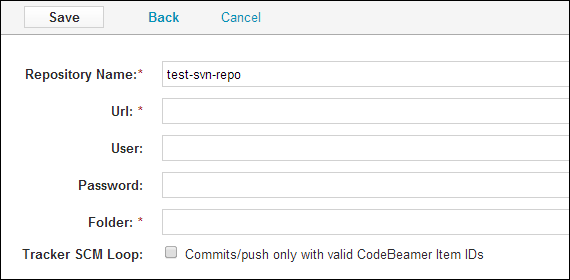
These are the Subversion repository access parameters:
|
Field
|
Description
|
|---|---|
|
Repository Name
|
The name of the repository. This is displayed on the SCM repositories page.
|
|
Url
|
The Subversion URL of the repository.
|
|
User
|
The credentials for user authentication of the SCM system.
|
|
Password
|
The credentials for user authentication of the SCM system.
|
|
Folder
|
The path of the folder that must be used by the svn update to synchronize with Subversion. Typical value is trunk.
|