Comparing Baselines
You can compare baselines in the following ways:
• By clicking the Baselines tab of a project.
• By clicking  in a tracker.
in a tracker.To compare baselines in the Baselines tab of a project, click SELECT BASELINE TO COMPARE at the top of the screen, and then select the baseline from the list that appears on the Baselines window.
To compare baselines in a tracker, click , select the checkboxes next to the baselines that you want to compare, and then click Compare Selected Baselines:
, select the checkboxes next to the baselines that you want to compare, and then click Compare Selected Baselines: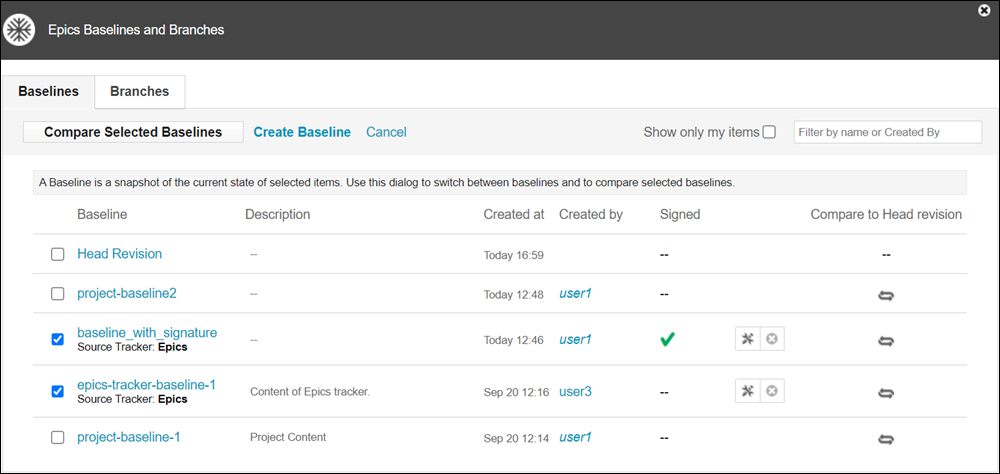
 |
When comparing baselines from different sources, a warning is shown.
|
The results view shows the differences between the selected baselines.
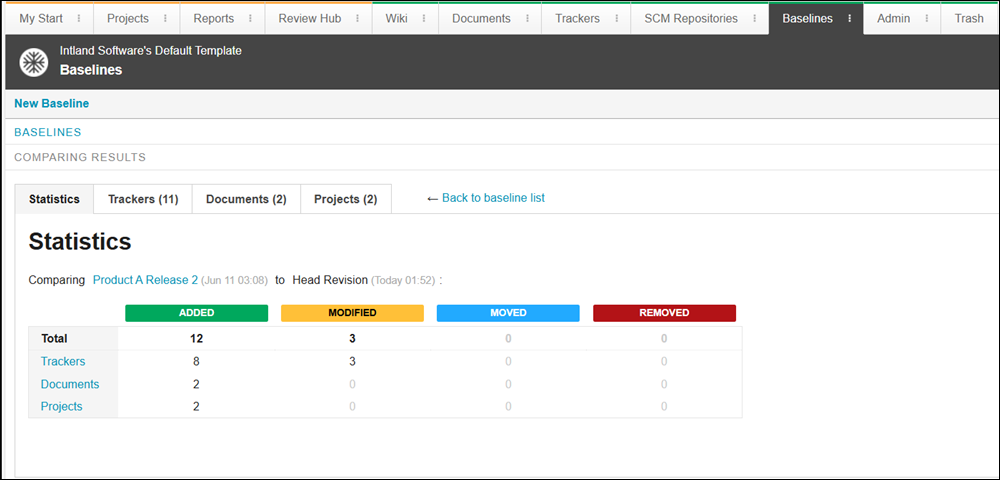
The differences between the selected baselines are separated into categories. Every category has a tab in the results view. To see detailed comparison, select the category tabs.
To view tracker differences between baselines, click Show diff on the Trackers tab.