Installing Codebeamer
Download the latest installer for Codebeamer from the PTC Software Download - Codebeamer.
 |
• If upgrading from an older version, refer to Upgrading to Codebeamer 3.3.0.0.
• Before you start the installation, review the System Requirements and Platform Updates and the General Hardware Requirements topics.
|
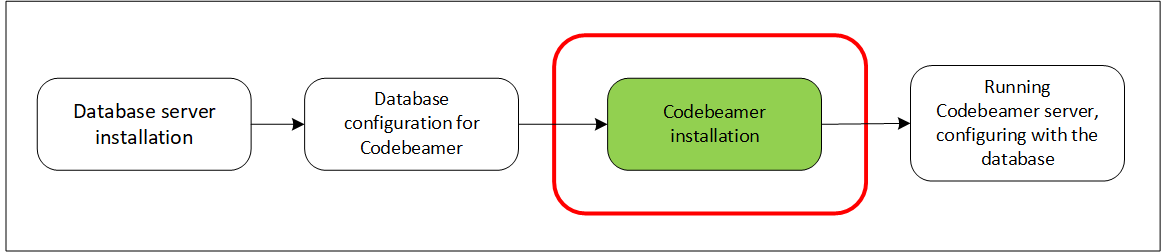
Codebeamer is shipped with a web container (Tomcat) and on Windows with Subversion, Git and Mercurial (hg). On Linux and Unix systems, the required SCM(s) must be installed via package manager. The installation takes a few minutes.
For addition information, see the following references:
|
|
The Codebeamer server must always be started by the same operating system user to avoid file and database access problems. The server requires read and write file permissions for its own working and temporary files, and for the databases.
The Codebeamer server inherits access permissions from the user who started the server. To avoid permission problems on Linux/Unix systems, it is good practice to create a new operating system user, for example, codebeamer with very restricted access to the file system, and to use this system account to start Codebeamer. In this case, even when there is no restriction specified in the Codebeamer configuration file, a restricted access to the file system is guaranteed on the operating system level.
|
Installation on a Single Server
This section describes the Codebeamer installation on a single server.
Client systems do not require Codebeamer installation. Just ensure that the JavaScript and Cookies are enabled in the browser.
To install Codebeamer on your server, navigate to the PTC Software Download page, download the installer file for your platform, and execute it.
Installation on Windows
After you download the self extract file, double-click the self extract file to start the installation process.
PTC recommends to install Codebeamer as a Service to ensure that Codebeamer is running even if the user has logged out.
Installation on Linux
On Linux systems, PTC recommends installing and running Codebeamer under a special user account such as codebeamer.
 |
Do not install or run Codebeamer as root.
|
If you want to put an Apache Web server in front of Codebeamer for example, to access Codebeamer via the standard HTTP(S) ports 80 (443) or to access managed Subversion repositories via HTTP protocol, you should install the Apache server for your platform first. For more details, see Configuring Tomcat for Codebeamer, Configuring Apache for Subversion. And then create the codebeamer user in the same group where Apache is:
|
Platform
|
Group
|
|---|---|
|
RedHat
|
apache
|
|
SuSE
|
www
|
|
Ubuntu
|
www-data
|
For example, on Red Hat Enterprise Linux, execute the following command:
sudo adduser codebeamer --ingroup apache
Before you install the Codebeamer, ensure that the JDK is installed and included in the PATH environment variable of your server. To learn which JDK version is compatible with your Codebeamer version, refer to the PTC Release Advisor page relevant to your Codebeamer release.
To install Codebeamer, follow the steps given below:
1. Sign in as the codebeamer user:
sudo su - codebeamer
2. Navigate to the home directory of the codebeamer user:
cd /home/codebeamer/
3. Make the installation file executable:
chmod +x MED-61402-CD-340_2-2-0-2_Linux.bin
4. Run the installation file:
./MED-61402-CD-340_2-2-0-2_Linux.bin
 |
To list the installation options, you can run the installer with the --help parameter. For detailed information, see Parameters for Linux Installer.
|
 |
To simplify the Codebeamer upgrade, PTC recommends creating a symbolic link called CB in the Codebeamer home directory. This symbolic link must point to the current or active version, for example:
cd /home/codebeamer/ If you later install a new Codebeamer version, the installer creates a new directory, such as CB-<new version> next to the existing CB-<current or active version>. In this scenario, you can redirect the CB symbolic link to CB-<new version>. As a result, all scripts based on the CB symbolic link can continue to operate consistently on the new CB-<new version> version.
|
Installation on Docker
Database
|
|
It is strongly recommended configuring Codebeamer to use with PostgreSQL or Oracle.
|
Refer to the appropriate documentation provided with each Codebeamer version to find out which database versions are supported and how to setup them:
Starting/Stopping Codebeamer
Windows
The Codebeamer server must be started before you access the Codebeamer.
If you select to install Codebeamer as a Windows Service (during the Installation), Codebeamer starts and stops automatically with the system. To manually start/stop/restart the service, use the Windows Services Control panel.
Only if you did not choose to install Codebeamer as a service, you can start and stop it manually. From the Window's Start menu select > > .
To stop the server, select > > .
When the server starts, open your browser on the server's URL and select > > .
Linux, Unix
From shell, you can use the following commands:
$ /installdir/bin/startup
Type the following to stop the Codebeamer:
$ /installdir/bin/stop
Starting during System Boot (Linux, Unix)
Typically, when Linux starts, the Codebeamer service should also automatically start. To enable this, you need to create a new file in /etc/init.d/codebeamer with the following content:
#!/bin/bash

#

# Run-level Startup script for codebeamer

#

# chkconfig: 345 91 19

# description: Startup/Shutdown codebeamer


CB_HOME="/home/codebeamer/CB"

CB_OWNR="codebeamer"


case "$1" in

    start)

        # startup

        echo -n "Starting codebeamer: "

        su - $CB_OWNR -c "cd $CB_HOME/bin && $CB_HOME/bin/startup"

        echo "OK"

        ;;

    stop)

        # shutdown

        echo -n "Shutdown codebeamer: "

        su - $CB_OWNR -c "cd $CB_HOME/bin && $CB_HOME/bin/stop"

        echo "OK"

        ;;

    reload|restart)

        $0 stop

        $0 start

        ;;

    *)

        echo "Usage: $0 start|stop|restart|reload"

        exit 1

esac

exit 0
If required, modify the CB_HOME and CB_OWNR variables at the start of the script and save it.
To activate the service, execute these commands as root:
sudo chmod +x /etc/init.d/codebeamer

sudo update-rc.d codebeamer defaults
|
|
These commands are for Ubuntu and may be different on other platforms.
|
The Codebeamer service is now set up, and can be started or stopped using the following service commands:
service codebeamer start

service codebeamer stop