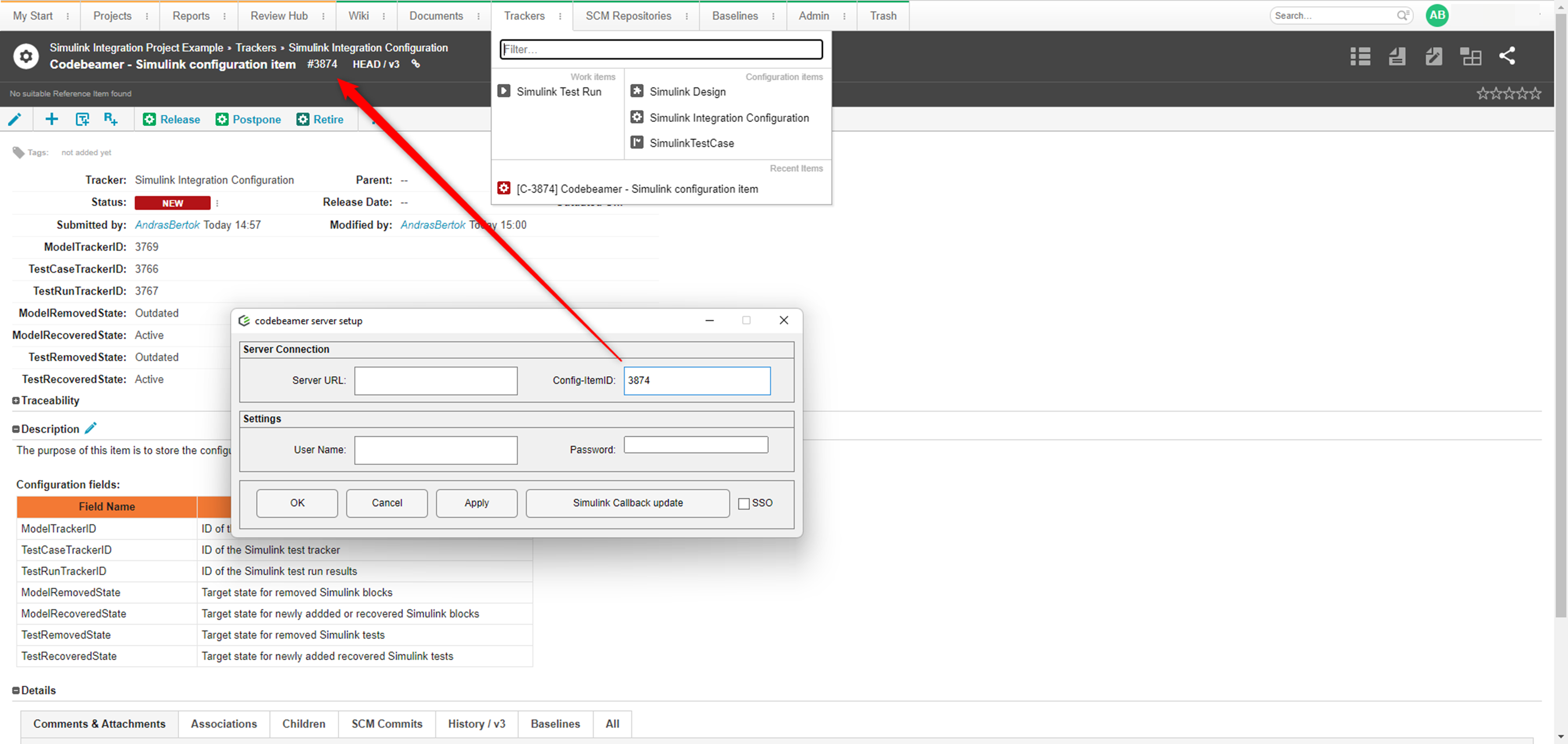
Codebeamer Project Setup
Integration Setup
The integration uses proxy items in Codebeamer, which act as surrogates for the linked items in Simulink, Simulink Test, or Data Dictionary. Creating these items in Codebeamer ensures bidirectional traceability and provides comprehensive traceability within Codebeamer, from requirements through design to verification.
The proxy items require a predefined structure in Codebeamer.
Project Structure
The plugin requires four trackers in Codebeamer for the integration:
• A tracker to store Simulink model-related proxy items.
• A tracker to store Simulink test-related proxy items.
• A tracker to store test run results from Simulink.
• A configuration tracker that contains the configuration item.
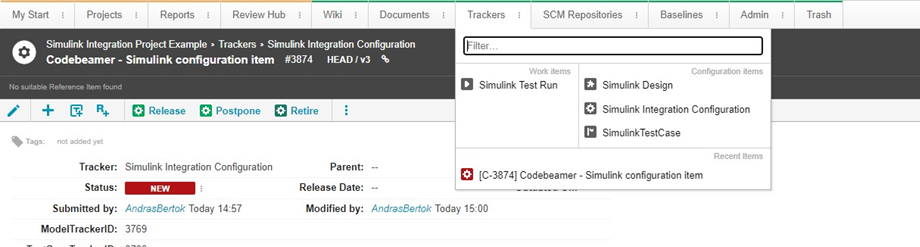
Mandatory Fields in the Simulink Integration with Codebeamer Projects
The following fields must be defined in the Simulink Model and Simulink Test Case trackers:
• MatlabID (text field)—ID of the models and tests in Simulink.
• BlockModifiedOn (text field)—The date and time of the last modification of the Simulink artifact in Simulink.
• Subject (reference field)—A reference field to connect models and tests with requirements.
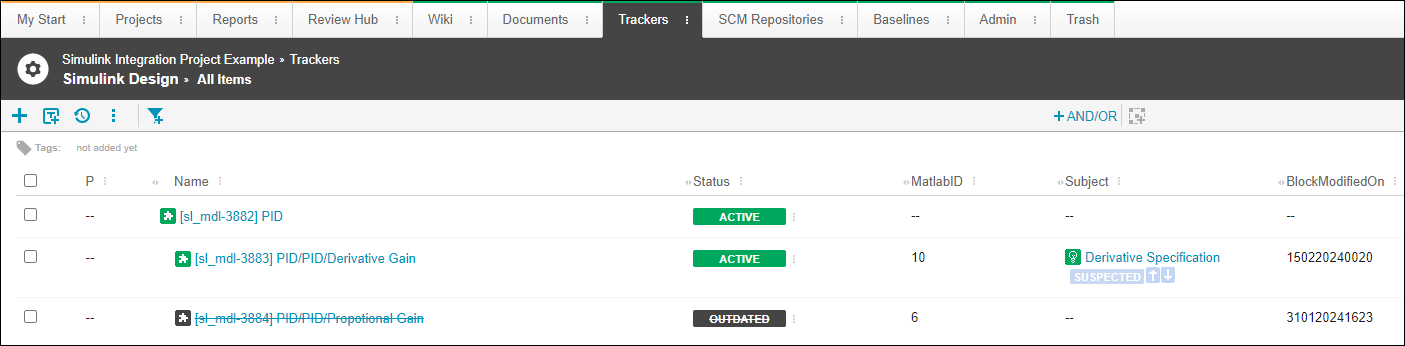
Setting Up Reference Structure in Codebeamer
The Simulink Design and Simulink Test Case trackers can be referenced to any requirement tracker in any project. References must be set up for the Subject field in the tracker configuration.
Tip: Any reference-type field can be used, but the integration works only with Subject.
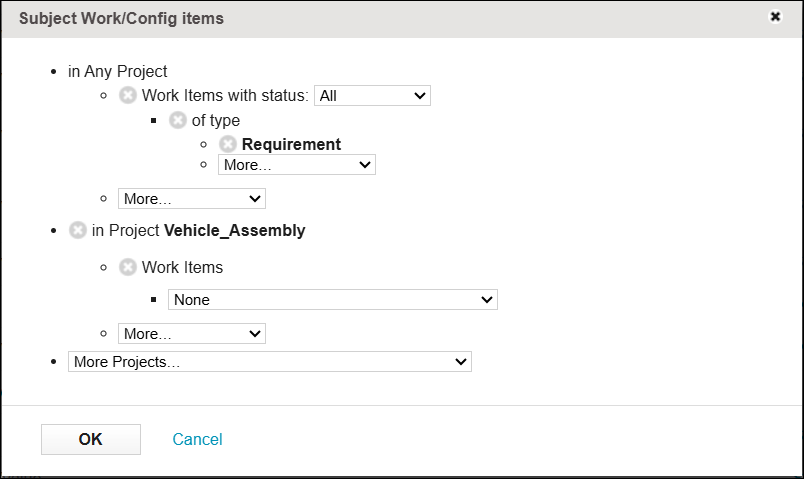
Codebeamer Project Configuration Item
A configuration item is required in Codebeamer. The following information is specified for the Codebeamer project that contains the proxy items:
|
Field Name
|
Description
|
|---|---|
|
ModelTrackerID
|
ID of the Simulink model tracker.
|
|
TestCaseTrackerID
|
ID of the Simulink test tracker.
|
|
TestRunTrackerID
|
ID of the Simulink test run results.
|
|
ModelRemovedState
|
Target state for removed Simulink blocks.
|
|
ModelRecoveredState
|
Target state for newly added or recovered Simulink blocks.
|
|
TestRemovedState
|
Target state for removed Simulink tests.
|
|
TestRecoveredState
|
Target state for newly added or recovered Simulink tests.
|
The type of the above listed fields is text.
Configuration Item Values
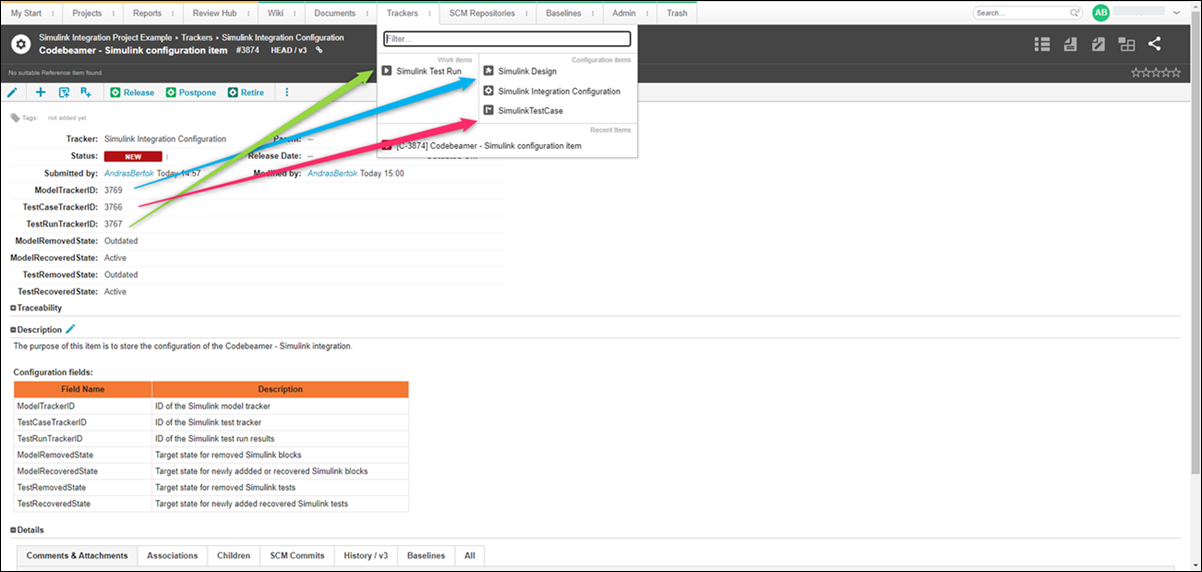
The tracker IDs belong to:
• A tracker to store Simulink model-related proxy items
• A tracker to store Simulink test-related proxy items
• A tracker to store test run results from Simulink
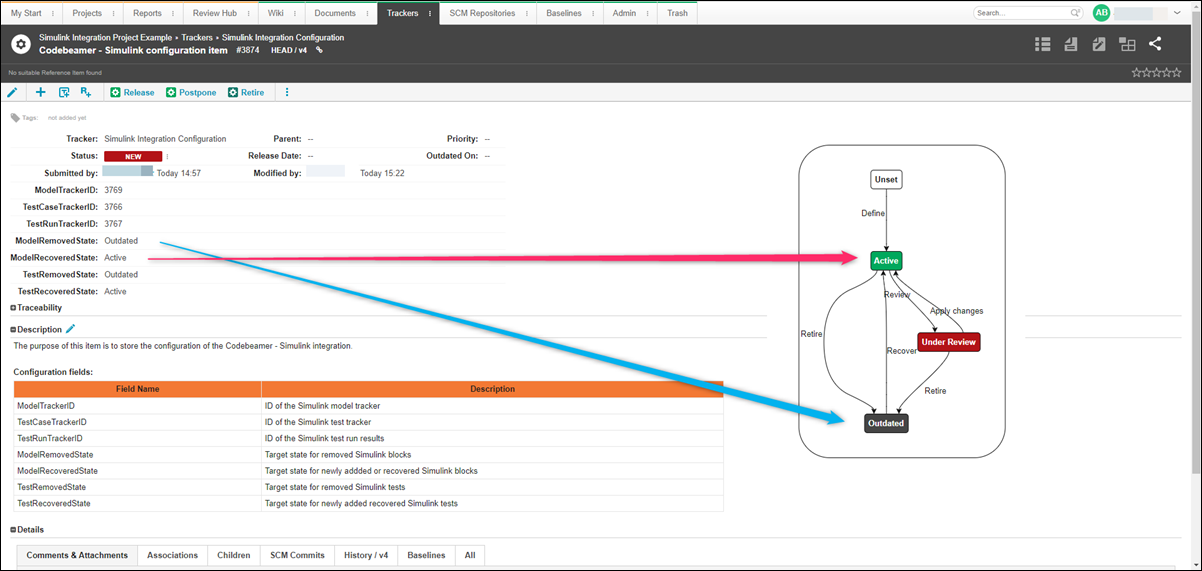
ModelRemovedState and TestRemovedState represent the target state of the proxy item in Codebeamer if the related Simulink artifact is no longer linked to a requirement or is deleted. ModelRecoveredState and TestRecoveredState represent the target state if a proxy item is linked to a requirement.
The ID of the configuration item is the Config-ItemID value defined in the settings.