Delete a Project
 |
To delete a project, you need one of the following:
• The Project Admin role at the project level.
• The System Administrator user group at the system level.
|
The following diagram represents the lifecycle of a project deletion:
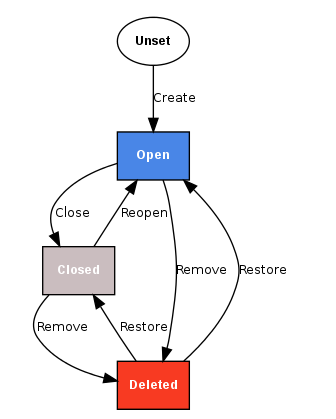
1. Upon the first Delete (Remove) request, an Open or Closed project will be marked as Removed (this is reversible via Restore Project in the Project Admin General tab).
The project and any content will not be accessible any more, only project administrators can see their deleted projects by choosing the Removed option in their Projects selector under the Projects tab.
2. Only when you delete a logically/previously deleted project again, the project and all its contents will be physically deleted (irreversibly).
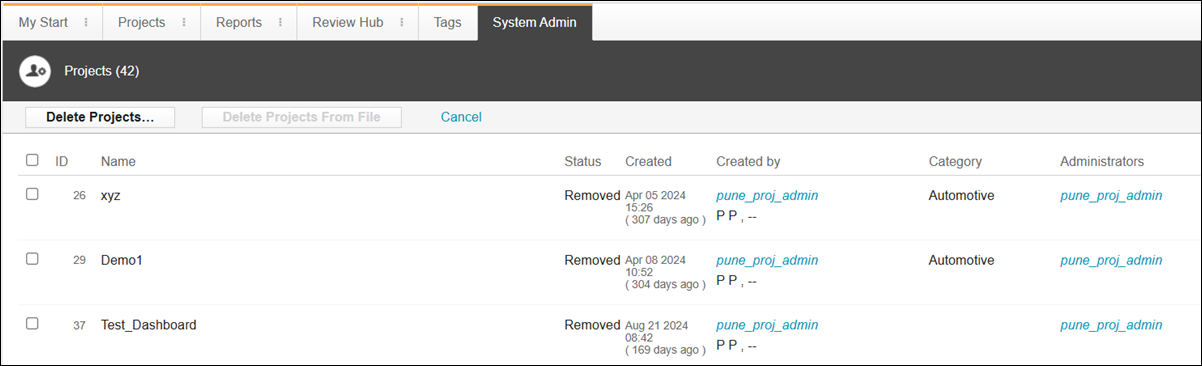
The current lifecycle of a project is shown in the Status column of the > page:
To delete projects:
1. Click > .
2. Select the projects to be deleted.
3. Click Delete Projects.