Assigning Licenses to User Accounts
If you have one type of license, for instance ALM, then the ALM license is assigned to each user account by default.
If multiple license types are available, the first type of license in your license key is provided to all users by default. However, you may need to assign the various license types to the relevant user accounts. In the following example, the ALM license is in the first place, therefore, this type is assigned to all users by default.
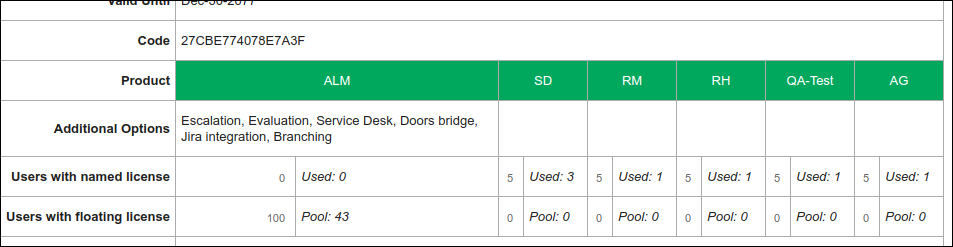
To manage the license types assigned to users, perform the following steps.
1. Go to the user's account, and click the Edit account link on the top left of the page.
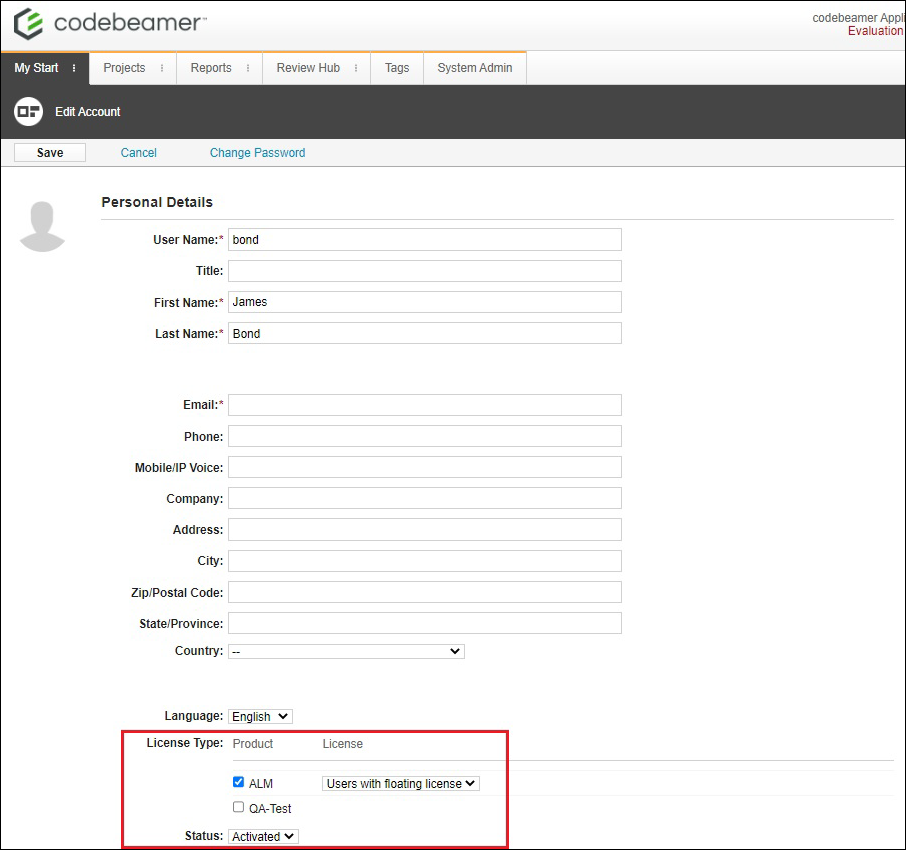
2. Perform the required changes in the License Type section by selecting or clearing the relevant checkboxes, and click Save.