Searching
This topic describes the search feature of Codebeamer X. You can search for the following type of artifacts using the full-text search feature in Codebeamer X:
• Projects
• Workspaces for documents
• Tasks
• Bugs
• Forums
• Wiki pages
• Users
• SCM commit comments
• Attachments
The Search operation is based on background indexing. As new artifacts are added, they become searchable within seconds. After indexing completes, the search system automatically synchronizes to reflect any updates or changes.
You can also tag or share the search result items with the relevant teams. The full-text search is provided for the following sections:
• Documents: Microsoft Word, Microsoft Excel, RTF, PDF, HTML, Wiki, and text document contents.
• Projects: The content of the fields such as Name, Description and Category.
• Tracker items: All fields, Comments and Attachments. The file formats supported for document search are also supported for attachments.
• CMDB configuration items.
• Reports: The content of the fields such as Name and Description.
Simple Search Syntax
A simple syntax is used for word-based searches. The simple search field is found in the top-right corner of every Codebeamer X page.
By default, Codebeamer X executes a prefix search. When searching for org, for example, the search returns such issues as org and organization.
The ID of the artifact can be used for simple search. For example, if the item ID is 2000, type in #2000 in the search box and click Enter. The only element in the result is the item with the specified ID.
Search Results
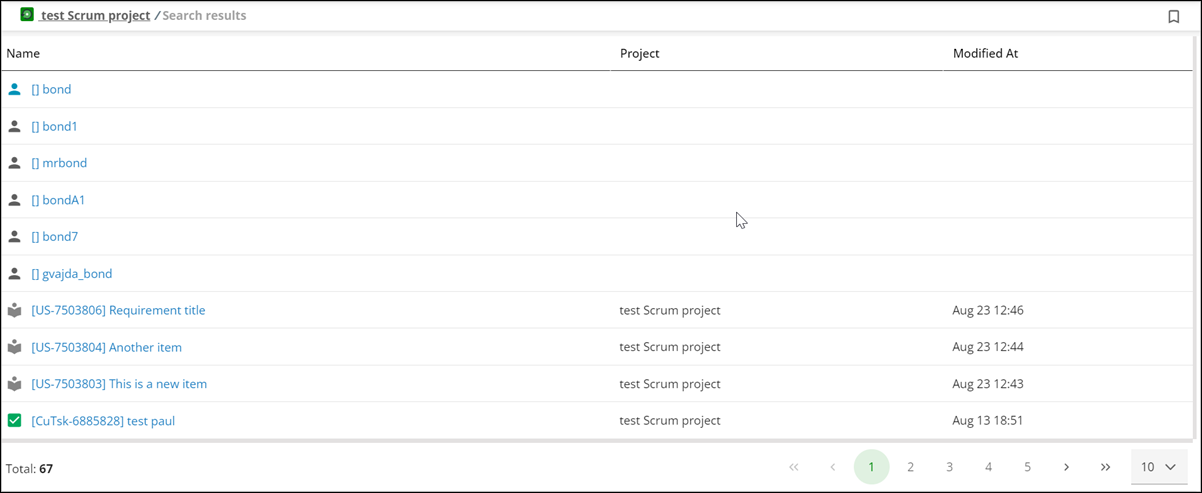
In simple search, trackers, wikis, accounts, and document items are all searched based on the provided keyword or text. The results are returned in a tabbed table, on separate pages.
For example, a search on bond may provide results as shown in the image below:
Quick Filter Options
Click  to view the following quick filter options:
to view the following quick filter options:• Last Modified: The search results for the artifacts that were modified in the last 7, 30 or 90 days. The default is Ever.
• Project: The projects selection within which the search operation is performed.
• Search in: The type of artifacts to search for.
Parent topic